Why Is My Microwave Making A Loud Noise: Causes And Fixes
A failing fan, worn turntable motor, loose parts, or magnetron issues usually cause loud microwave noise.
I’ve worked on dozens of small appliances and tested noisy microwaves in kitchens and repair shops. In this guide I explain why is my microwave making a loud noise, how to safely diagnose the cause, which fixes you can try, and when to call a pro. Read on for clear steps, real examples, and simple tips to stop the noise fast.

Common causes of a loud microwave
If you’re asking, "why is my microwave making a loud noise," these are the usual suspects. I list them by frequency and explain what to listen for.
- Fan motor problems. A worn or obstructed cooling fan makes high-pitched or grinding sounds.
- Turntable motor or rollers. A noisy motor or misaligned rollers causes rattles or thumps as the tray spins.
- Loose screws and panels. Vibration can make metal parts buzz or clank.
- Magnetron or transformer issues. These high-voltage parts can hum, buzz, or bang as they age.
- Bearings and bushings. Worn bearings in motors make squeaks or grinding noises.
- Waveguide cover or food debris. Trapped debris or a damaged cover can cause a buzzing or arcing sound.
- Door latch or hinge problems. A misaligned door can rattle during operation.
- Arcing or electrical sparks. Sharp crackling usually means arcing and needs immediate attention.
Each cause has a distinct sound. A low hum often points to the transformer or magnetron. A rattling or clunk suggests loose parts or the turntable. A high-pitched whine often comes from a failing fan.

How to diagnose the noise safely
When you ask "why is my microwave making a loud noise," safety must come first. Follow these steps in order.
- Unplug the microwave and wait 10 minutes before touching anything inside.
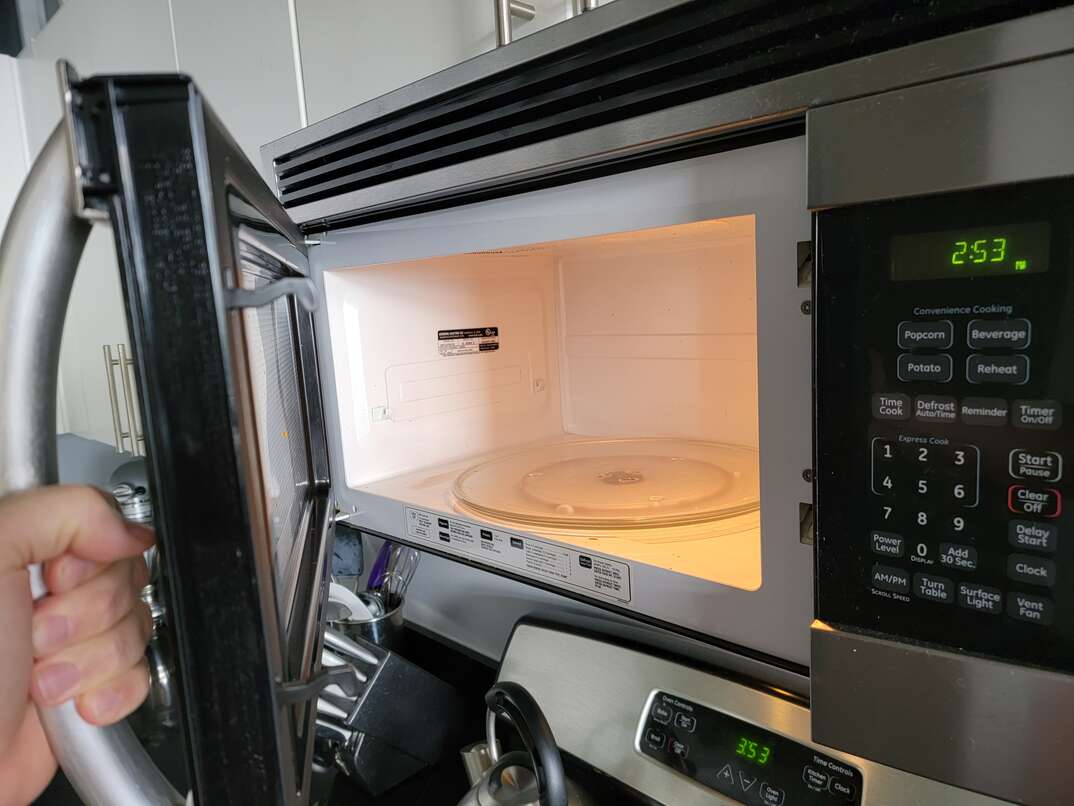
- Inspect the turntable area for broken rollers, misaligned glass tray, or food debris.
- Remove and clean the waveguide cover and interior to rule out food burns or trapped metal.
- Plug in the microwave and run a short test with a cup of water to isolate the sound source. Listen from different sides of the unit.
- Note whether the noise appears only when heating, on cool-down, or continuously when power is on.
- If the sound seems electrical, like crackling or sparking, stop immediately and unplug.
Small tests help you find whether the turntable, fan, or internal electrical parts make the noise. Do not remove the cabinet or touch high-voltage components. The capacitor stores charge even when unplugged and can be deadly.

Simple fixes you can try at home
Before deciding why is my microwave making a loud noise, try these low-risk fixes. Many noises come from minor, solvable problems.
- Clean and realign the turntable. Remove the glass tray and roller ring, wash them, and reseat them properly.
- Tighten external screws. Check the top, back, and inner panel screws for loose hardware.
- Clear debris from vents and fans. Power off, remove the back vent cover if accessible, and remove lint or crumbs.
- Replace worn roller ring or turntable motor coupler. These are low-cost parts and often fix rattles.
- Swap the glass tray. A cracked or warped tray can wobble and make noise.
- Move the unit to a flat, solid surface. Uneven counters make vibration worse.
Avoid opening the microwave cabinet to access the magnetron, transformer, or circuit board unless you are trained. For anything involving disassembly beyond removing the turntable and covers, follow the next section.
When to call a professional
If you still wonder why is my microwave making a loud noise after simple checks, call a certified appliance technician. Get help if you see any of these signs.
- Loud electrical arcing or visible sparks when operating.
- Burning smell, smoke, or repeated tripping of breakers.
- Persistent humming that doesn’t change with cleaning or moving the unit.
- Noise tied to the magnetron, transformer, or internal fan motor.
- The unit makes loud bangs or mechanical failures that suggest internal damage.
Professional repair is safer and often more cost-effective than DIY work on high-voltage parts. A tech will test the capacitor, magnetron, and power supply and can advise whether repair or replacement is best.
Preventative maintenance and tips
To reduce future chances of asking why is my microwave making a loud noise, adopt simple maintenance habits. These steps keep parts moving smoothly and prevent damage.
- Clean the interior and vents weekly. Food splatters and grease attract heat and debris.
- Avoid metal or aluminum foil. Metal causes arcing and damage.
- Use microwave-safe covers. They prevent splatter that can clog vents and waveguides.
- Balance items on the turntable. Uneven loads strain the motor.
- Check and replace the turntable roller ring every few years.
- Keep the unit on a stable, level surface to reduce vibration and noise.
Regular care stretches appliance life and reduces repair bills. Small chores prevent most common noisy issues.

Personal experience: what I fixed and what I learned
The first time I wondered why is my microwave making a loud noise, the sound turned out to be a tiny peanut lodged under the roller ring. Cleaning fixed it in five minutes. On another unit, a worn fan bearing made a loud squeal; replacing the fan solved it.
Lessons I learned:
- Start with the easiest fixes. Turntable issues and debris are common and quick to check.
- Never touch internal high-voltage parts unless you are trained and have the right tools.
- Keep a record of symptoms and when they happen. That helps a technician diagnose the problem faster.
These real cases show that many noisy microwaves are salvageable with simple care or targeted repairs.
Quick answers (PAA-style)
Q: Why is my microwave making a loud noise only when heating?
A: Often the turntable motor or cooling fan kicks in during heating, and debris or wear makes the noise louder.
Q: Why is my microwave making a loud noise and sparking?
A: Sparking plus noise usually means arcing caused by metal inside, a damaged waveguide cover, or a faulty internal component; stop using it and get service.
Q: How long can a noisy microwave be used safely?
A: Short tests are okay, but if the noise is electrical or a burning smell is present, unplug it immediately and seek professional help.

Frequently Asked Questions about why is my microwave making a loud noise
Why is my microwave making a loud noise when I start it?
A noisy start usually comes from the turntable motor engaging or the cooling fan turning on. Check the tray, rollers, and vents for debris or misalignment.
Why is my microwave making a loud noise and smoking?
Smoking with noise signals a serious electrical fault or burned food residue. Unplug the unit and do not use it; have it inspected right away.
Why is my microwave making a loud noise only sometimes?
Intermittent noise often points to a failing fan or a loose component that shifts with heat. Note when the noise happens and report it to a technician if it recurs.
Why is my microwave making a loud noise after I moved it?
Moving can loosen screws, misalign the turntable, or knock debris into vents. Re-seat the tray and tighten visible fasteners to test if the noise stops.
Why is my microwave making a loud noise but still heats food?
It can still heat while a non-critical part, like the fan or rollers, is failing. However, continued operation might worsen the issue, so inspect and fix the noisy part soon.
Wrap up and next steps
You now know the common reasons behind "why is my microwave making a loud noise," how to diagnose them safely, and which fixes you can try yourself. Start with cleaning and turntable checks, and stop using the microwave immediately if you smell burning or see sparks. For electrical or internal motor issues, call a qualified technician.
Take action today: check your turntable and vents, tighten loose screws, and note any recurring sounds. If you found this guide helpful, try the fixes and share your results or questions below. Consider subscribing for more practical appliance repair tips or leave a comment with your microwave model and symptoms for targeted advice.

Appliance Review Expert
Lucas Ramirez is a trusted voice at HomeFixGrid.com, known for his clear, practical, and creatively written guides that simplify appliance care for everyday homeowners. With a strong focus on hands-on testing and real-world problem-solving, Lucas brings expert insight into appliance reviews and troubleshooting techniques. Her work empowers readers to confidently maintain, repair, and choose the right appliances for their homes.