
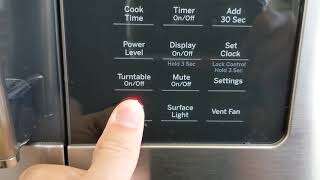
To reset the filter light on a GE microwave, press and hold the filter or Clear/Off button for 3–5 seconds.
I’ve worked with dozens of GE over-the-range microwaves and hood-combo units. This guide walks you through how to reset filter on GE microwave the right way, including quick resets, power cycles, cleaning and replacing grease or charcoal filters, and what to do if the light won’t go off. Read on for step-by-step actions, real troubleshooting tips from my experience, and practical maintenance advice you can use today.
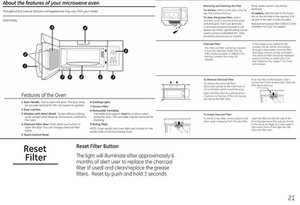
Why the filter light turns on and what it means
The filter light on GE units is a reminder. It tells you that a grease or charcoal filter needs cleaning or replacing. The light does not mean the microwave is unsafe. It just asks for routine care.
Common reasons the light turns on:
- Regular use builds grease on the metal filter.
- Charcoal filters wear out and stop neutralizing odors.
- The reminder timer reached the preset interval.
- A control or software glitch set the light on.
Knowing why helps when you learn how to reset filter on GE microwave. If you clean or replace the filter, the light should reset. If it does not, you need troubleshooting steps.
src="https://i.ytimg.com/vi/RmEd59aLC1c/maxresdefault.jpg"
alt="Simple, safe steps to reset filter on GE microwave”
style=”max-width: 100%; height: auto; border: 2px solid black; border-radius: 10px; display: block; margin: 0 auto;”
loading=”lazy”
/>
Simple, safe steps to reset filter on GE microwave
Most GE models use a simple reset method. Try these steps first. They work for many over-the-range GE microwaves.
- Locate the filter or reminder button.
- Look for buttons labeled Filter, Filter Reset, or Exhaust Fan Reminder.
- Press and hold the filter button for 3–5 seconds.
- The light should turn off. If not, continue.
- If there is no filter button, press and hold Clear/Off for 3–5 seconds.
- Try holding the Clock or Cancel button for 3–5 seconds on some models.
- Do a power cycle if the light stays on.
- Unplug the microwave or switch off the breaker for 60 seconds.
- Turn power back on and check the light.
Always confirm the filter was cleaned or replaced before resetting. Resetting without changing a dirty filter hides a real problem. These methods cover most cases where you need to know how to reset filter on GE microwave.

Model-specific notes and common button names
GE microwaves vary. Here are quick hints so you can map controls on your panel.
- Over-the-range units often say Filter or Filter Reset on the control panel.
- Some units combine the reminder with the exhaust fan controls.
- Countertop microwaves rarely have a filter light, so instructions differ.
- If your model has Control Lock enabled, unlock it before attempting a reset.
If button labels differ, try holding the Clear/Off, Start, or Clock buttons. When in doubt, check the model number tag inside the door for the manual. That makes resetting simpler and safer.

How to clean and replace grease and charcoal filters
Resetting is only part of care. You must clean or replace filters when needed. Here’s what to do.
Grease filter (metal mesh)
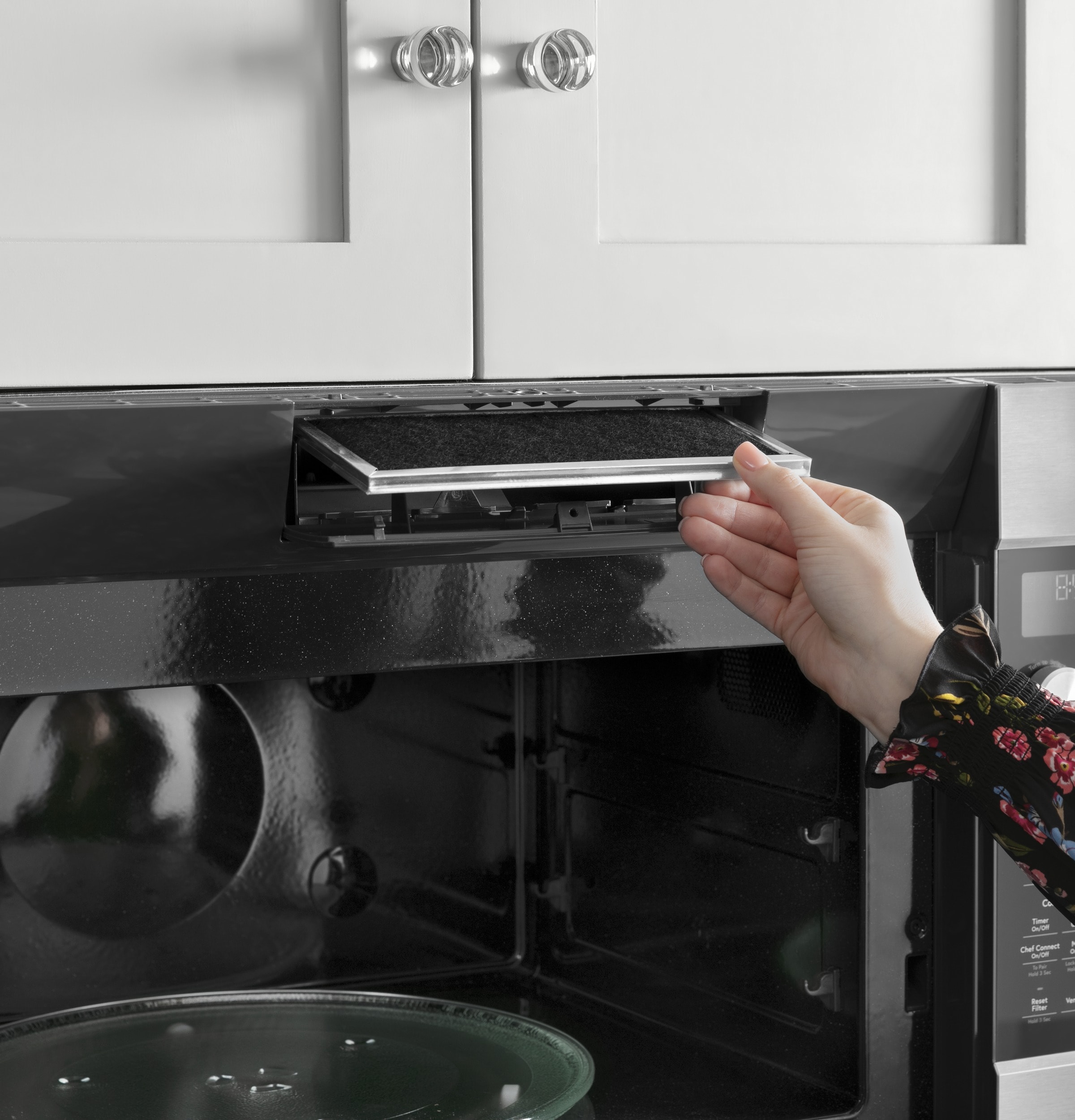
- Remove the vent grille or slide the filter out from the bottom of the microwave.
- Wash by hand with warm, soapy water or run through a dishwasher if the manual allows.
- Dry completely and reinstall.
Charcoal (odor) filter
- Charcoal filters are usually behind the vent grille.
- They cannot be washed. Replace with a new charcoal filter when saturated.
- Install OEM or compatible filters sized for your model.
Recommended intervals
- Clean grease filters every 1–3 months depending on use.
- Replace charcoal filters every 6–12 months, or sooner with heavy cooking.
When you replace or clean the filter, then perform the reset step. That completes the service and ensures the reminder light reflects actual maintenance.

Troubleshooting when the filter light won’t reset
Sometimes the filter light stays on. Try these fixes before calling service.
- Control lock is active
- Disable Control Lock by holding the Lock button or pressing the right combo shown on the panel.
- Soft reset
- Unplug the microwave or switch off its breaker for 60 seconds, then restore power.
- Stuck button or bad contact
- Press each button firmly. If a button is stuck, it may need cleaning or repair.
- Wrong filter installation
- Make sure the filter is seated correctly. Misalignment can keep the sensor active.
- Software or control board fault
- If all else fails, a service tech may need to inspect the keypad or control board.
In my experience, a power cycle or pressing Clear/Off for a few seconds fixes most persistent lights. If the light still won’t go out, schedule service and have the model number handy.
Tips to extend filter life and prevent the reminder light
Good habits help. They save time and money and reduce how often you must reset the filter.
- Wipe the filter and grille weekly to stop grease buildup.
- Use lower cooking splatter by using lids and splatter covers.
- Run the exhaust fan during and after cooking for at least 10 minutes.
- Track filter replacement dates in your phone calendar.
- Use recommended filters for best airflow and performance.
A small routine goes a long way. Follow these tips and you’ll rarely see the filter light unexpectedly.

Frequently Asked Questions of how to reset filter on ge microwave
How long do GE microwave filters last?
Grease filters last until they are clogged but should be cleaned monthly. Charcoal filters typically last 6–12 months depending on cooking frequency.
Can I reset the filter light without replacing the filter?
You can reset the light, but you should only do it after cleaning or replacing the filter. Resetting alone masks a real maintenance need.
What if my microwave has no filter button?
Try holding Clear/Off, Clock, or Start for 3–5 seconds. If that fails, power cycle the unit by unplugging or switching off the breaker for 60 seconds.
Is it safe to wash the charcoal filter?
No. Charcoal filters cannot be washed. Replace them when they stop absorbing odors.
Will a power cycle reset the filter light?
A power cycle can reset the control panel and may clear the light. It does not replace or clean the filter, so perform it only after servicing the filter if possible.
Conclusion
Resetting the filter light is usually quick. Clean or replace the grease and charcoal filters first. Then press and hold the filter or Clear/Off button for 3–5 seconds, or power cycle the unit if needed. Keep a maintenance routine to avoid repeated resets and extend filter life.
Take action today: clean or replace your microwave filter, reset the reminder, and add a calendar reminder so you don’t forget next time. If you found this helpful, leave a comment or check your model manual for exact button names and care instructions.

Appliance Review Expert
Lucas Ramirez is a trusted voice at HomeFixGrid.com, known for his clear, practical, and creatively written guides that simplify appliance care for everyday homeowners. With a strong focus on hands-on testing and real-world problem-solving, Lucas brings expert insight into appliance reviews and troubleshooting techniques. Her work empowers readers to confidently maintain, repair, and choose the right appliances for their homes.
Leave a Reply