
How To Preheat A Ninja Air Fryer: Quick Easy Guide
preheating a Ninja air fryer in the United States is usually simple: choose the cooking function, set the temperature and time, then press Start/Pause with the basket empty. Wait until the unit tells you to ADD FOOD or until the preheat cycle ends. Then add the food and begin cooking.
Exact steps vary by model. Ninja makes basket air fryers, dual-basket models, toaster oven-style units, and ovens with different controls. Always follow the instructions for your model if they differ from this guide.

Do You Need to Preheat a Ninja Air Fryer?
Preheating can help food cook more evenly and become crisp sooner. It gives the cooking chamber and heating element time to reach the selected temperature before the food goes in.


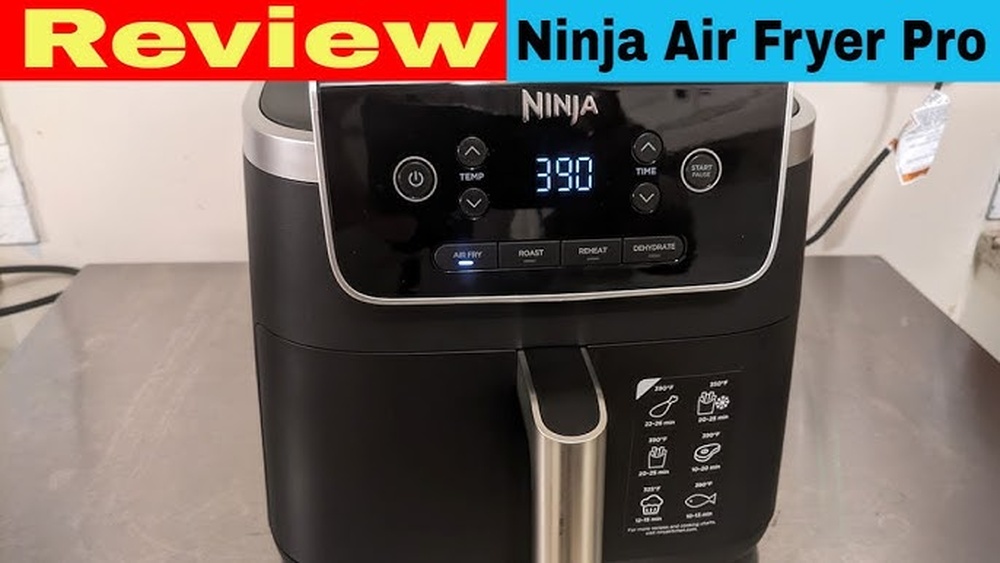
Ninja does not use one identical preheat system across every model. Many Ninja air fryers preheat automatically after you press Start/Pause. Some models show PRE during this stage. When the unit is ready, it may display ADD FOOD or beep.
Preheating is often useful for:
- French fries and tater tots
- Chicken wings
- Breaded chicken
- Frozen snacks
- Steak and pork chops
- Foods that need a crisp outside
- Short cooking times
You may not need to preheat for every recipe. A longer cook, such as roasting vegetables, may work well without a separate preheat step. Your food may simply need a little more time.
The best rule is simple: preheat when the recipe, food package, or Ninja manual calls for it.

How to Preheat a Ninja Basket Air Fryer
Use these steps for many Ninja basket models, including models with controls similar to the Ninja Air Fryer and Air Fryer Max XL.
1. Put the air fryer on a safe surface
Place the air fryer on a level, heat-safe counter. Leave open space around the unit so hot air can escape.
Do not place it directly under low cabinets if the manual warns against this. Keep the air fryer away from the edge of the counter, water, and items that can melt.
2. Insert the basket or crisper plate
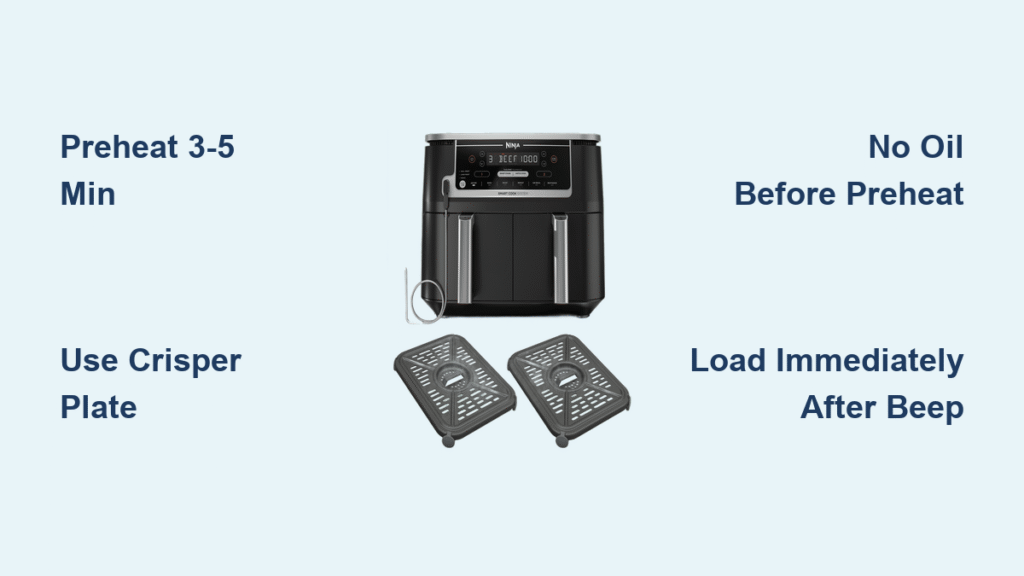
Place the crisper plate in the basket if your model uses one. Slide the empty basket into the air fryer.
Some Ninja models will not start unless the basket is fully inserted.
3. Select the cooking function
Press Air Fry or the function named in your recipe. Other functions may include:


- Roast
- Bake
- Reheat
- Broil
- Dehydrate
- Max Crisp
Use the function that matches the food. Air Fry is the usual choice for frozen foods, wings, fries, and breaded items.
4. Set the temperature
Use the temperature buttons or dial to choose the cooking temperature.
Common recipe temperatures may range from 300°F to 400°F, but the correct setting depends on the food. Frozen food packages may list a temperature for a conventional oven rather than an air fryer. In that case, check the Ninja manual or start with a lower temperature and watch the food closely.
Do not raise the heat only to shorten the preheat time. The temperature also affects browning, moisture, and cooking safety.
5. Set the cooking time
Set the time required for the recipe. The air fryer may begin its preheat cycle after you press Start/Pause.
On some Ninja models, the timer counts down during preheating. On others, the timer begins after you add food. This difference is normal and depends on the model.
6. Press Start/Pause
Press Start/Pause to begin. Keep the basket empty during preheating unless your manual says otherwise.
The display may show:
- PRE
- A moving temperature indicator
- A countdown
- ADD FOOD
- A progress bar
- A beep when the unit is ready
7. Add the food when prompted
When the display says ADD FOOD, carefully pull out the basket. Add the food in an even layer when possible.
Avoid filling the basket above the recommended maximum line. Overfilling blocks airflow and can leave food soft or unevenly cooked.
Slide the basket back in. Cooking should continue automatically on many models. If it does not, press Start/Pause again.
8. Check the food before serving
Cooking time can change with food size, starting temperature, and how full the basket is. Shake the basket or turn the food if the recipe calls for it.
For meat, check the center with a food thermometer. The U.S. Department of Agriculture recommends:
- 165°F for poultry
- 160°F for ground meats
- 145°F for whole cuts of beef, pork, veal, and lamb, followed by a three-minute rest
- 145°F for fish
These are internal temperatures, not air-fryer display temperatures.


How to Preheat a Ninja Dual-Basket Air Fryer
Ninja dual-basket models, such as Foodi DualZone air fryers, let you cook two foods at once. Each zone may have its own temperature and time.
To preheat one zone:
- Insert the basket or crisper plate.
- Press the button for Zone 1 or Zone 2.
- Select the cooking function.
- Set the temperature.
- Set the cooking time.
- Press Start/Pause.
- Wait for the preheat signal.
- Add food to that zone.
To preheat both zones, set each zone before pressing Start/Pause. Some models use Smart Finish, which adjusts the start time so both foods finish together. Other models use Match Cook to copy the first zone's settings to the second.
Do not assume that both baskets have the same preheat status. Look at the display for each zone. One basket may be ready while the other is still heating.
If you are cooking only one food, use the active zone rather than running both baskets. This can reduce wasted energy and prevent confusion over the cooking timer.

How to Preheat a Ninja Foodi Air Fryer Oven
Ninja Foodi ovens work more like small countertop ovens. Their racks, trays, and door position affect airflow.
For most oven-style Ninja models:
- Put the rack or tray in the position listed by the recipe.
- Close the door.
- Select the cooking function, such as Air Fry, Bake, or Roast.
- Set the temperature and time.
- Press Start/Pause.
- Wait for the preheat message or signal.
- Open the door and place the food inside.
- Close the door and continue cooking.
Do not place food inside before the preheat cycle unless the manual or recipe specifically says to do so. Opening the door during preheating lets heat escape and may extend the process.
Use the correct pan for the function. Air-frying food directly on a rack can improve airflow, but crumbs and grease may fall below. Place the proper tray underneath when the manual calls for it.
How Long Does a Ninja Air Fryer Take to Preheat?
Many Ninja air fryers preheat in only a few minutes, but there is no single time for every model.
Preheat time depends on:
- The selected temperature
- The size of the cooking chamber
- The model and wattage
- Whether the unit starts at room temperature
- The surrounding room temperature
- Whether the basket or door is fully closed
- The amount of food already inside
A small basket air fryer may reach cooking temperature faster than a large oven-style model. A setting near 400°F may also take longer than one near 300°F.
Use the air fryer's display as the main signal. Do not rely on a fixed number of minutes unless your manual or recipe gives that number.


If your model does not show a preheat message, allow a short empty heating cycle before adding food. The manual is the best source for the exact procedure.

What Does “Add Food” Mean on a Ninja Air Fryer?
ADD FOOD means the air fryer has completed its initial heating stage and is ready for the food.
Pull the basket out carefully because it may be hot. Add the food without touching the heating element or the inside wall.
The message does not mean the food is cooked. It only means the cooking chamber has reached the starting temperature for the selected program.
If you miss the message, do not worry. Add the food as soon as you can and close the basket. The air fryer may continue cooking, or you may need to press Start/Pause.
What If Your Ninja Air Fryer Does Not Preheat?
Start with the simplest checks:
The air fryer will not start
Make sure:
- The basket is fully inserted.
- The door is closed on an oven-style model.
- A function is selected.
- A temperature and time are set.
- The power cord is firmly connected.
- The outlet works with another appliance.
Do not use an extension cord unless Ninja specifically permits it for your model. High-wattage cooking appliances can overload some cords or outlets.
The display stays on “PRE”
Check that the basket or door is fully closed. Give the unit time to heat. If the display does not change after the period stated in your manual, stop the appliance and unplug it after it is safe to do so.
Do not take apart the air fryer. Contact Ninja support or a qualified appliance service provider if the unit still fails.
The air fryer heats but does not show “ADD FOOD”
Not every Ninja model uses the same message. Some models may beep, show a temperature, or begin the timer without displaying ADD FOOD.
Check the manual for your exact model number. The model number is often printed on a label near the power cord, under the unit, or on the original packaging.
The food is not crisp
The problem may not be preheating. Check these common causes:
- The basket is too full.
- The food is wet.
- The pieces are touching.
- Too much oil was used.
- The food was not shaken or turned.
- The temperature is too low.
- The food needs more cooking time.
Pat wet food dry when appropriate. Use a light coating of oil for foods that benefit from browning. Do not spray oil into the heating element.

Common Ninja Air Fryer Preheating Mistakes
Avoid these errors for better results and safer cooking:
- Preheating with loose parchment paper: Paper can lift into the heating element. Add it only with food weighing it down, and follow the manual.
- Using aerosol cooking spray: Some aerosol sprays can damage nonstick surfaces. Use an oil mister or brush if the manual allows it.
- Overfilling the basket: Food needs space for hot air to move.
- Blocking the vents: Keep the rear and side vents clear.
- Adding food before the preheat signal: This can change the cooking result.
- Leaving the air fryer unattended: Stay nearby, especially when cooking greasy food.
- Touching the basket without protection: Use oven mitts or heat-safe gloves.
- Ignoring smoke: Turn off the unit if smoke becomes heavy. Unplug it when safe, and never pour water onto an appliance fire.
- Using a damaged cord or basket: Stop using the appliance and seek manufacturer support.
A small amount of smoke can come from grease or residue, especially during early uses. Heavy smoke, sparks, a burning electrical smell, or repeated overheating needs prompt attention.

Preheat Settings by Food Type
Use this table as a starting point, not a replacement for the food package or recipe.
| Food | Preheat advice | Main check |
|---|---|---|
| Frozen fries | Usually helpful | Shake for even browning |
| Chicken wings | Usually helpful | Check the thickest piece |
| Fresh vegetables | Helpful but not always required | Avoid crowding |
| Steak | Helpful for browning | Check internal temperature |
| Reheating pizza | Often optional | Watch the crust |
| Frozen snacks | Usually helpful | Follow package directions |
| Fish | Helpful for a short cook | Check the center |
| Bacon | Often optional | Watch for grease and smoke |
The most useful distinction is not the food name alone. Consider the thickness, amount, starting temperature, and desired texture.
A crowded basket may need more time even after a perfect preheat. A small single layer may cook faster than the same food piled high.

Ninja Air Fryer Preheating FAQs
Can I preheat a Ninja air fryer with the basket inside?
Yes. The basket and crisper plate normally stay inside during preheating. Keep the basket empty unless your model's manual gives different instructions.
Can I put food in while the Ninja air fryer is preheating?
You can, but it may change the cooking time and texture. For the most consistent result, wait for the ADD FOOD message or the end of the preheat cycle.
Do I need to preheat for frozen food?
Usually, preheating helps frozen food brown and crisp more evenly. Follow the frozen food package first, then adjust based on your Ninja model and the amount of food.
Why does my Ninja air fryer say “Add Food” when it is empty?
That message is normal. It indicates that the preheat stage is complete and the unit is ready for food.
Can I preheat a Ninja air fryer with aluminum foil?
Only use foil when the manual or recipe allows it. Do not let foil block the basket holes, cover the entire crisper plate, or touch the heating element. Food should hold the foil in place.

Final Answer: The Best Way to Preheat a Ninja Air Fryer
To preheat most Ninja air fryers, insert the empty basket, choose the cooking function, set the temperature and time, and press Start/Pause. Wait for ADD FOOD, a beep, or the end of the preheat signal. Then add the food and cook it according to the recipe.
Because Ninja models use different controls, check the manual for your exact unit when the display or buttons do not match these steps. Keep the basket uncrowded, use safe cookware, and check meat with a food thermometer before serving.
Sources for model and safety guidance

Appliance Review Expert
Lucas Ramirez is a trusted voice at HomeFixGrid.com, known for his clear, practical, and creatively written guides that simplify appliance care for everyday homeowners. With a strong focus on hands-on testing and real-world problem-solving, Lucas brings expert insight into appliance reviews and troubleshooting techniques. Her work empowers readers to confidently maintain, repair, and choose the right appliances for their homes.