How To Set Clock Sunbeam Microwave: Easy Step-By-Step Guide
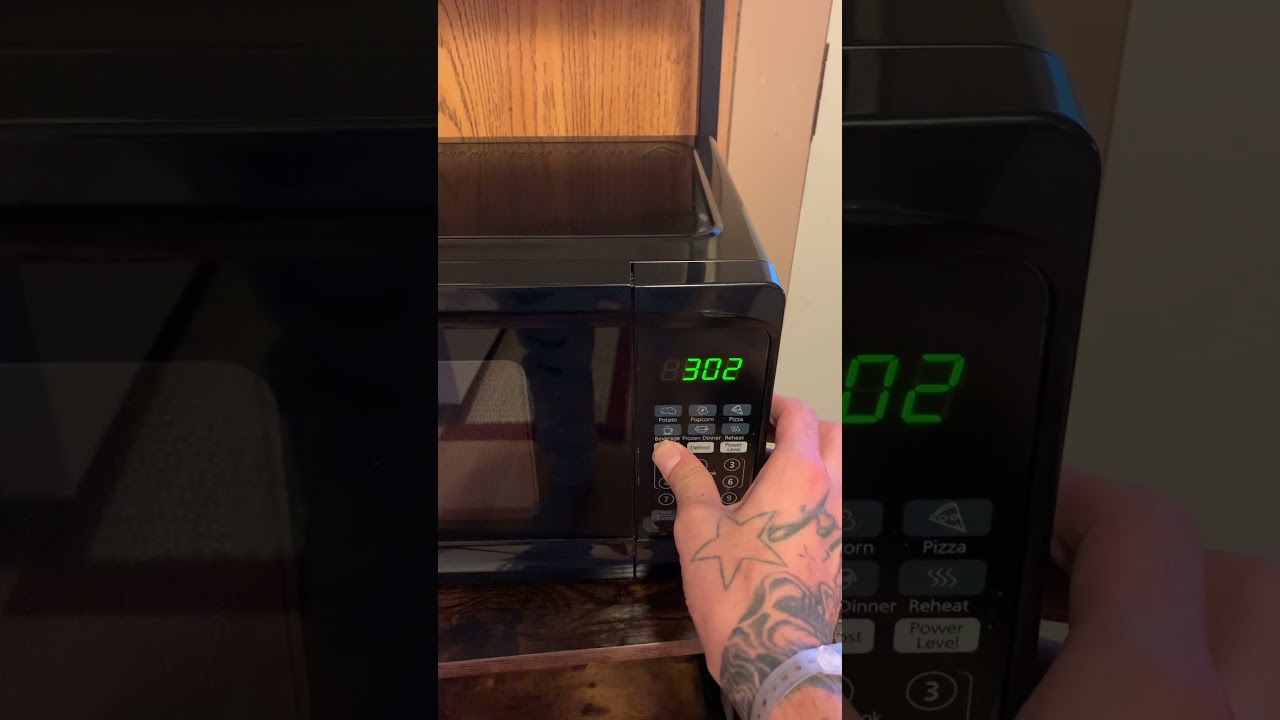
To set the clock on a Sunbeam microwave in the United States, press Clock, enter the time with the number pad, and press Clock again or press Start/Enter to save it. The exact buttons can vary by model, so check the label on your control panel if this sequence does not work.
This guide covers common Sunbeam countertop microwaves sold in the U.S. It also explains what to do when the clock will not save, the display shows the wrong time, or your model uses a 12-hour or 24-hour format.

What You Need Before Setting the Clock
You need the current time and a working control panel. Keep the microwave plugged in, and make sure the door is closed before you begin.


Most Sunbeam microwaves use a 12-hour clock. Some models may use a Clock/Timer button or require the Start button instead of a second press of Clock.
Look for one of these labels:
- Clock
- Clock/Timer
- Time
- Settings
- Start/Enter
The printed model number can help you find the correct manual. On many Sunbeam microwaves, the model number is on a label inside the door frame, on the back, or on the side of the unit.

How to Set the Clock on a Sunbeam Microwave
Use this method first. It matches the control layout found on many Sunbeam microwave models.
- Press the Clock button.
- Enter the time using the number pad. For example, enter
7 3 0for 7:30. - Press Clock again.
- If the microwave asks for AM or PM, select the correct option. Some models use the Clock button to switch between AM and PM.
- If the clock does not save, press Start or Enter instead.
- Wait a few seconds. The time should appear on the display.
Example: Setting 6:45
To set the clock to 6:45:
- Press Clock.
- Press 6, 4, and 5.
- Press Clock again, or press Start/Enter.
- Choose AM or PM if your model asks for it.
The display should stop flashing once the time is saved. That is the main sign that the clock-setting process worked.

Alternative Clock-Setting Methods
Some Sunbeam microwaves use a slightly different sequence. Try the method that matches your control panel.
If your microwave has a Clock/Timer button
- Press Clock/Timer once.
- Enter the time.
- Press Clock/Timer again.
- Press Start if the display continues to flash.
If the clock button opens a timer menu
On some control panels, pressing Clock more than once may cycle through clock settings. If the display shows a cooking timer instead of the time-setting mode:
- Press Stop/Cancel.
- Press Clock once.
- Enter the time.
- Press Start or Clock to confirm.
If the microwave requires AM or PM
Some models ask for AM or PM after you enter the numbers. Use the button shown on the display or the Clock button to select the correct setting.


A 12-hour clock does not distinguish morning from evening until you select AM or PM. If you enter 7:30 without selecting the correct period, the microwave may show the right numbers but the wrong part of the day.

How to Change the Clock After a Power Outage
A power outage usually resets the microwave clock to 0:00, 12:00, or a flashing display. This is normal. The microwave may also lose the clock setting after it is unplugged or after a circuit breaker trips.
To reset it:
- Press Stop/Cancel if the display is flashing.
- Press Clock or Clock/Timer.
- Enter the current time.
- Press Clock, Start, or Enter to save it.
A clock that resets after every outage is not usually a sign of a failed microwave. Most countertop microwaves do not keep the time during a loss of power.

What to Do If the Sunbeam Microwave Clock Will Not Set
If the clock does not save, check the following causes in order.
The wrong button sequence was used
The most common issue is pressing Clock at the wrong time or using Start when the model requires a second Clock press.
Try this basic sequence:
Clock → time → Clock
If that fails, try:
Clock → time → Start
Do not press several buttons quickly. Pause for about one second between each step so the control panel can respond.
The microwave is in child-lock mode
A locked control panel may ignore number-pad commands. Look for a Lock, Child Lock, or padlock symbol.
To cancel the lock, press and hold the button marked Stop/Cancel, 0, or Lock for about three seconds. The correct button depends on the model. Do not force the buttons or remove the microwave cover.


The display shows “Door”
Some microwaves will not accept a command if the door is not fully closed. Open and close the door firmly, then try again.
Check that no food, tray, or debris is blocking the door hooks. If the microwave still reports a door problem, stop using it until the latch and door switch are checked by a qualified appliance technician.
The touch panel is not responding
Unplug the microwave for about one minute, then plug it back in. This can clear a temporary control error.
If the display remains blank, the outlet may not have power. Test the outlet with another small appliance, or check the circuit breaker. Do not use an extension cord unless the manufacturer’s instructions specifically allow it.
The time disappears after you save it
If the time vanishes or returns to a flashing display, the microwave may have lost power or may have a control-panel fault. Reset the clock once more. If the problem returns while the microwave has steady power, consult the model’s manual or arrange service.

Why the Clock May Show the Wrong Time
A clock can show the wrong time for several simple reasons:
- The time was entered as AM instead of PM, or PM instead of AM.
- A power outage reset the clock.
- The microwave was unplugged during cleaning or moving.
- The number pad entry was incomplete.
- The clock was saved before the final confirmation step.
- The microwave uses a different clock mode than expected.
If the clock is consistently slow or fast while the microwave has continuous power, the control board may be faulty. A small difference after a long period can result from normal electronic clock accuracy, but a large or sudden change suggests a power or hardware issue.

Sunbeam Microwave Clock Troubleshooting Table
Use this table to match the symptom with the most likely next step.
| Symptom | Likely cause | What to try |
|---|---|---|
Display flashes 0:00 or 12:00 |
Power was interrupted | Set the clock again |
| Numbers appear, but the clock does not save | Wrong confirmation button | Press Clock, then try Start |
| Buttons do nothing | Child lock or control error | Cancel the lock or unplug for one minute |
Display says Door |
Door is not fully closed | Close the door and check for obstructions |
| Clock is 12 hours wrong | Incorrect AM/PM setting | Reset the time and choose the correct period |
| Display is blank | No power or internal fault | Check the outlet and breaker; seek service if needed |
| Clock resets repeatedly | Power interruption or control fault | Check the outlet and contact service if power is stable |
This table is a practical guide, not a substitute for the instructions for your exact model. Sunbeam has used more than one control-panel design, so the button sequence may differ.
Safety Tips When Working With a Sunbeam Microwave
Setting the clock is a low-risk task because it does not require opening the microwave. Never remove the outer cover to repair a clock, display, door switch, or control board.
A microwave can contain high-voltage parts that may remain dangerous even after the appliance is unplugged. Repairs inside the cabinet should be handled by a qualified appliance technician.
Follow these basic rules:


- Do not operate the microwave if the door is bent, cracked, or unable to close.
- Do not bypass the door interlock.
- Do not use the microwave if it sparks, smokes, or smells like burning insulation.
- Unplug the microwave before cleaning the outside or checking the power cord.
- Keep the control panel dry.
- Use the exact model manual for repairs or advanced settings.
If the microwave heats food normally but the clock does not work, the appliance may still have a control-panel problem. A working heating function does not prove that every electrical part is safe or reliable.

How to Find the Correct Sunbeam Microwave Manual
The exact manual is the best source when the common steps do not work. Find the model number first. It may appear:
- Inside the microwave door opening
- On the back label
- On the side panel
- On the original product label
- On a sales receipt or installation record
Search for the model number together with the words Sunbeam microwave manual. Use the manufacturer’s support information or a reliable manual database. Match the full model number, not just the Sunbeam brand name.
This matters because two Sunbeam microwaves can have different button labels and clock-setting steps. A manual for a similar-looking model may not use the same sequence.

Frequently Asked Questions
How do I set the clock on a Sunbeam microwave without a Clock button?
Look for Clock/Timer, Time, or Settings. If none of these labels appear, check the manual for your model number. Some models place the clock function behind a settings button rather than using a dedicated clock key.
Why does my Sunbeam microwave clock keep flashing?
A flashing clock usually means the time has not been saved or the microwave recently lost power. Press Clock, enter the time, and confirm with Clock, Start, or Enter.
Can I set a Sunbeam microwave clock while the microwave is running?
Usually, you should wait until the cooking cycle ends. Press Stop/Cancel first, then set the clock. Some models may allow clock changes during standby only.
How do I change the time from AM to PM?
Reset the clock and enter the time again. When the microwave asks for AM or PM, select the correct option. If there is no separate AM/PM button, press Clock or follow the display prompt.
Why does my microwave clock reset when I unplug it?
Most countertop microwaves do not have battery backup for the clock. Unplugging the unit or losing household power can erase the time. Resetting it after power returns is normal.

Final Answer
For most Sunbeam microwaves, set the clock by pressing Clock, entering the time, and pressing Clock again. If that does not save the setting, use Start/Enter as the final button.
If the display still will not respond, cancel the child lock, check the door, reset the power, and locate the exact model manual. Do not open the microwave cabinet or attempt internal electrical repairs yourself.

Appliance Review Expert
Lucas Ramirez is a trusted voice at HomeFixGrid.com, known for his clear, practical, and creatively written guides that simplify appliance care for everyday homeowners. With a strong focus on hands-on testing and real-world problem-solving, Lucas brings expert insight into appliance reviews and troubleshooting techniques. Her work empowers readers to confidently maintain, repair, and choose the right appliances for their homes.