How To Turn Off Auto Fan On Microwave: Easy Fix
If your over-the-range microwave in the United States turns on its fan by itself, press the Vent Fan, Exhaust Fan, or Fan button until the display shows Off. If the fan starts because the cooktop is hot, your microwave may have an automatic heat-sensing feature. In that case, the fan may keep running until the area cools.

Why does a microwave fan turn on by itself?
The fan on an over-the-range microwave can remove cooking heat, steam, smoke, and odors from the area above your stove. Some models also have a heat sensor that turns the fan on when the temperature near the microwave becomes too high.
This is often called:


- Auto fan
- Automatic vent fan
- Heat-sensing fan
- Temperature-controlled exhaust
- Automatic blower
The fan may start even when you did not press a button. This does not always mean the microwave is broken.
A microwave has two different types of fans:
| Fan type | Main job | Can you turn it off? |
|---|---|---|
| Vent or exhaust fan | Pulls air from above the cooktop | Usually yes |
| Internal cooling fan | Cools microwave parts during or after use | Often no |
The fan you hear above the stove is usually the vent fan. The internal cooling fan may run during cooking and for a short time afterward. Do not block the microwave vents or try to disable an internal cooling fan.
How to turn off the microwave vent fan
Use the control panel first. The exact button name depends on the brand and model.
Method 1: Press the Fan or Vent Fan button
- Find the button labeled Fan, Vent Fan, Exhaust, or Vent.
- Press the button once.
- If the fan speed changes, press it again.
- Continue pressing the button until the display shows Off, or until the fan stops.
Many microwaves cycle through settings such as:
- High
- Low
- Off
On some models, the button may only change the speed. On others, it may turn the fan off right away.
Method 2: Press the Off or Cancel button
Some microwave controls use a separate Off button for the vent fan. Look for:
- Fan Off
- Vent Off
- Clear/Off
- Cancel
- Stop/Cancel
Do not assume that the large Stop button always controls the vent fan. On many models, it stops cooking but leaves the exhaust fan running.
Method 3: Use the microwave settings menu
Some newer models let you change automatic fan behavior in a settings menu.
Look for menu names such as:
- Vent fan
- Auto fan
- Fan settings
- Cooktop fan
- Hood fan
- Sound and settings
- Appliance settings
The menu may let you turn automatic fan operation off. Other models only let you choose the fan speed or set a delay.


Use the owner’s manual for the exact button sequence. Microwave menus vary by model, even within the same brand.
Method 4: Let the cooktop area cool
If the fan turns on because of heat from the stove, pressing the fan button may not keep it off. The heat sensor can restart the fan while the area is still hot.
To stop this type of automatic fan:
- Turn off the cooktop burners.
- Move hot pans away from the area below the microwave.
- Allow the cooktop and microwave cabinet to cool.
- Press the Fan or Vent button again.
- Wait to see whether the fan stops after the temperature drops.
This may take several minutes. The exact time depends on the heat level, cookware, room temperature, and microwave model.
How to disable the auto fan feature
You can disable auto fan operation only if your microwave supports that setting. Some models do not provide a user control for it.
Check the owner’s manual
Find the model number on the microwave. It is often located:
- Inside the door frame
- On the inside wall of the microwave
- On the back or side
- On a label below the control panel
Search the manufacturer’s support site for the model number and the words owner’s manual or use and care guide.
Search the manual for:
- Auto fan
- Vent fan
- Exhaust fan
- Heat sensor
- Cooktop ventilation
- Fan control
- Automatic fan
The manual should tell you whether the feature can be disabled.
Check for a dedicated fan setting
Some models have a direct control. The steps may look like this:
- Press Settings, Options, or Menu.
- Select Vent Fan or Auto Fan.
- Choose Off.
- Press Start, Enter, or Save.
These steps are examples only. Do not use them as a universal sequence. The buttons and menu names differ across brands and models.
Check for an automatic shutoff timer
Some microwaves do not let you disable the heat sensor. Instead, they let you set how long the fan runs after cooking.
Possible options include:
- 1 minute
- 5 minutes
- 10 minutes
- Manual
- Auto
If the fan runs after microwave cooking, a timer setting may control it. If it turns on during stovetop cooking, the heat sensor may override that timer.


If the model has no auto-fan setting
You may not be able to permanently disable the feature. The manufacturer may design the fan to protect the microwave from heat that rises from the cooktop.
In that case, use the Fan Off control after the cooktop cools. If the fan restarts while the stove is hot, the sensor is likely working as designed.
What to do if the fan will not turn off
Start with safe, simple checks. Do not open the microwave cabinet.
1. Make sure cooking has stopped
A fan may continue after:
- Microwave cooking ends
- The cooktop burner is turned off
- A sensor cooking cycle finishes
- The microwave detects high heat
Wait a few minutes, then try the fan control again.
2. Check whether a cooktop burner is still hot
A burner can remain hot after the flame or heating element is off. Hot pans can also send heat toward the microwave.
Move hot cookware away from the microwave when safe. Never touch a hot pan with bare hands.
3. Press the fan control, not only Stop
Pressing Stop, Cancel, or Clear may not control the vent fan. Find the button marked Fan or Vent.
4. Check the control lock
A control lock can prevent buttons from working. Look for a Control Lock, Lock, or padlock symbol.
The manual may require you to hold a button for several seconds to unlock the controls.
5. Reset the microwave once
If the controls do not respond, you can reset the microwave by disconnecting power or switching off its circuit breaker briefly.
Use this only as a basic reset:
- Stop all cooking.
- Remove food and cookware.
- Turn off the microwave’s circuit at the breaker, or unplug it if the plug is accessible.
- Wait at least one minute.
- Restore power.
- Test the fan control.
Do not use a reset to bypass a safety problem. If the fan starts again with no heat source, the controls may need service.
6. Get service if the fan runs constantly
Contact the manufacturer or a qualified appliance technician if:


- The fan runs for hours with no heat
- The fan starts when the microwave is cold
- The control panel does not respond
- You smell burning plastic or wiring
- You see smoke, sparks, or melted parts
- The microwave makes a new grinding or buzzing sound
- The circuit breaker trips
Do not remove the microwave’s outer cover. A microwave can contain high-voltage parts that remain dangerous even after it is unplugged.
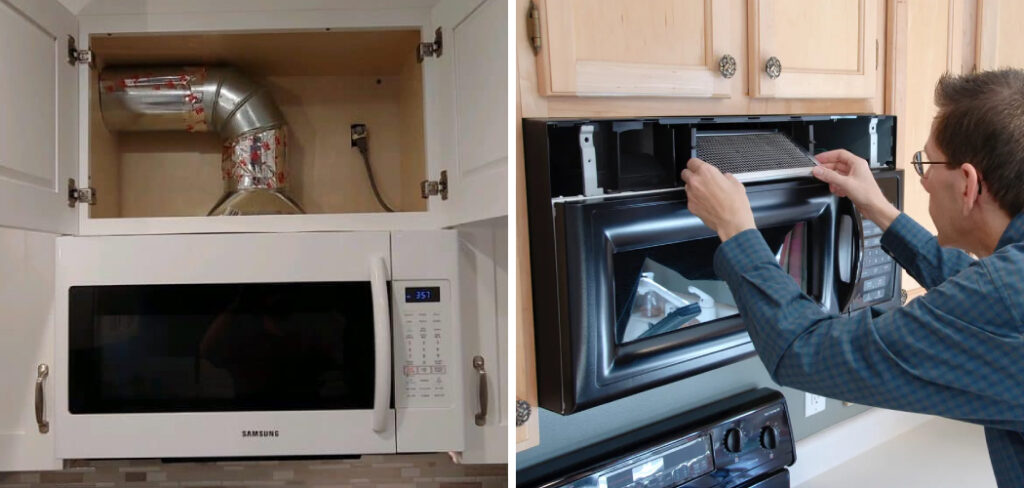
Can you permanently disconnect the microwave fan?
You should not disconnect or remove the fan yourself. The fan may be part of the microwave’s cooling and ventilation system.
Removing it can cause:
- Excess heat near electrical parts
- Damage to the microwave
- Poor removal of steam and smoke
- Electrical shock
- Loss of warranty coverage
- A greater risk of fire
A qualified technician can tell you whether the fan control, sensor, relay, or control board has failed. If the fan is operating normally because of a heat sensor, a technician may not recommend disabling it.
Common reasons the fan keeps running
The cause usually falls into one of these groups:
| Symptom | Likely cause | Best next step |
|---|---|---|
| Fan starts during stovetop cooking | Heat sensor is active | Turn off burners and let the area cool |
| Fan runs after microwave cooking | Cooling or exhaust delay | Wait several minutes |
| Fan speed changes but will not stop | Button cycles through modes | Keep pressing until Off |
| Buttons do nothing | Control lock or control fault | Unlock controls, then reset once |
| Fan runs when the microwave is cold | Sensor, relay, or control problem | Arrange service |
| Fan makes a loud new noise | Debris, worn motor, or loose part | Stop use if unsafe and seek service |
| Fan runs with smoke or burning smell | Possible electrical or motor fault | Disconnect power if safe and call for service |
How to reduce unwanted auto-fan operation
You may not be able to remove the feature, but you can reduce how often it starts.
- Use the rear burners when possible. They may send less heat toward the microwave sensor.
- Use a lower burner setting.
- Keep pans centered over the burner.
- Turn on the vent fan before cooking if your model allows manual control.
- Keep the microwave air filters clean according to the manual.
- Avoid letting steam and heat collect under the microwave.
- Do not place oversized cookware so close to the microwave that it blocks airflow.
Do not cover the microwave’s outside vents. Do not tape over the sensor or place insulation around the microwave.
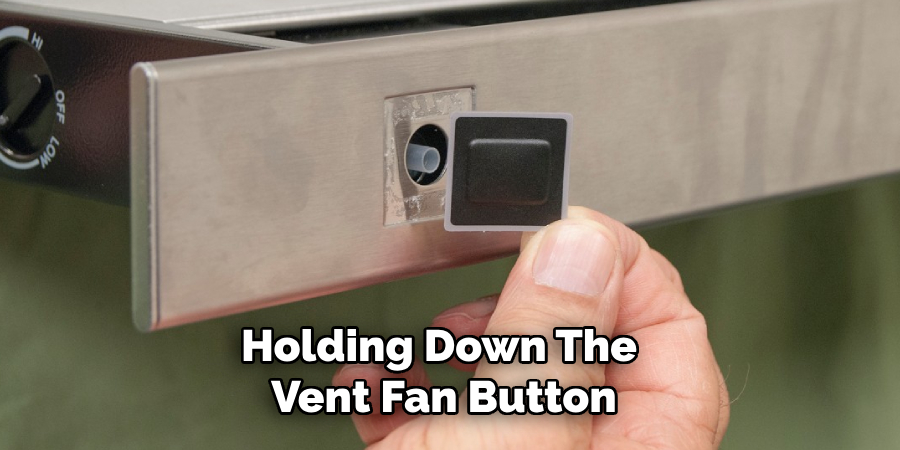
Microwave fan controls by common control style
The button layout gives you a clue about how the fan works, but it does not prove the exact operation.
Single Fan button
Press the button several times. It may cycle through high, low, and off.
Fan High and Fan Low buttons
Press the active speed button again, or look for a separate Off button. Some models use Fan Off rather than a repeated speed button.
Vent button with a number pad
The microwave may use a settings menu. Press Vent, then follow the display prompts.
Touchscreen controls
Open Settings, Options, or Appliance Settings. Search for fan, vent, or cooktop settings.
Basic older microwave
The fan may have a simple mechanical or electronic switch. If it will not stop after the cooktop cools, service may be needed.

Safety limits to remember
The vent fan and the internal cooling fan are not always the same part. Turning off the exhaust fan does not mean the microwave is fully cool.
Follow these safety rules:
- Never run an empty microwave to test it.
- Never block the intake or exhaust vents.
- Do not spray cleaner into the control panel.
- Do not remove the outer cabinet.
- Do not use the microwave if it sparks or smells like burning insulation.
- Keep children from playing with the fan controls.
- Follow the model’s manual for filter cleaning and replacement.
- Call a qualified technician for internal repairs.
If there is an active fire, heavy smoke, or an electrical smell, turn off power only if you can do so safely. Leave the area and contact emergency services when needed.
Frequently asked questions
Why does my microwave fan turn on when I use the stove?
Many over-the-range microwaves have a heat sensor. When hot air rises from the cooktop, the sensor can turn on the vent fan. This helps protect the microwave and remove heat from the area.
Why does the fan keep running after I turn off the microwave?
The fan may be removing leftover heat from the microwave or cooktop area. It may also be completing a timed exhaust cycle. If it continues for an unusually long time while everything is cold, check the manual or request service.
Can I turn off the auto fan without unplugging the microwave?
Usually, yes. Press the Fan, Vent Fan, or Exhaust button until the fan turns off. If a heat sensor is active, wait for the cooktop area to cool first.
Is it safe to use the microwave if the fan will not turn off?
A fan that runs during or after cooking may be normal. Stop using the microwave and seek service if the fan runs constantly when the unit is cold, or if you notice smoke, sparks, a burning smell, unusual noise, or repeated breaker trips.
Will turning off the vent fan damage the microwave?
Turning off the user-controlled vent fan is normally part of regular operation. However, do not disable or disconnect an internal cooling fan. The owner’s manual determines which fan your controls operate.
Conclusion: the safest way to turn off auto fan on a microwave
Press the Fan, Vent Fan, or Exhaust button until the display shows Off. If the fan started because of heat from the cooktop, turn off the burners and wait for the area to cool. Then try the control again.
If your model has an Auto Fan setting, use the owner’s manual to disable it. If there is no such setting, the feature may be built into the microwave for heat protection. A fan that runs while the microwave is cold or shows other fault signs should be checked by a qualified appliance technician.

Appliance Review Expert
Lucas Ramirez is a trusted voice at HomeFixGrid.com, known for his clear, practical, and creatively written guides that simplify appliance care for everyday homeowners. With a strong focus on hands-on testing and real-world problem-solving, Lucas brings expert insight into appliance reviews and troubleshooting techniques. Her work empowers readers to confidently maintain, repair, and choose the right appliances for their homes.