Can The Microwave Interfere With WiFi: Causes And Fixes
Yes, a microwave can interfere with Wi-Fi, mainly when both devices use the crowded 2.4 GHz band.
If you notice slow internet, dropped connections, or buffering whenever the microwave runs, the timing may not be a coincidence. Understanding how microwave ovens, Wi-Fi channels, distance, shielding, and router settings interact can help you fix the problem without buying new equipment. This guide explains can the microwave interfere with wifi, how serious the issue is, and what you can do today.

Can the microwave interfere with Wi-Fi?
Yes, a microwave can interfere with Wi-Fi. The main reason is that many microwave ovens and older Wi-Fi networks operate near 2.4 gigahertz, or 2.4 GHz.
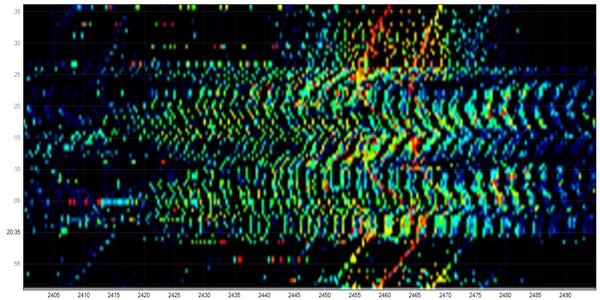
A microwave heats food by producing electromagnetic energy at about 2.45 GHz. Wi-Fi devices using the 2.4 GHz band transmit data in a nearby range. The two signals are not identical, but they can overlap enough to create radio frequency interference.
This does not mean every microwave will disrupt your internet. Modern microwave ovens are designed with metal shielding and a protective door screen. Most of the energy stays inside the oven. Still, a small amount can escape, especially from an old, damaged, or poorly maintained unit.
The impact is often easy to spot:
• A video pauses when the microwave starts.
• A smart speaker disconnects for a few seconds.
• A web page loads slowly in the kitchen.
• A wireless security camera shows a weak signal.
• A laptop switches from a strong connection to a weak one.
The answer to can the microwave interfere with wifi depends on several factors. These include the Wi-Fi band, the distance between the router and microwave, the quality of the oven’s shielding, and the strength of the wireless signal.
Why do microwaves affect 2.4 GHz Wi-Fi?
To understand can the microwave interfere with wifi, it helps to know how wireless signals share space.
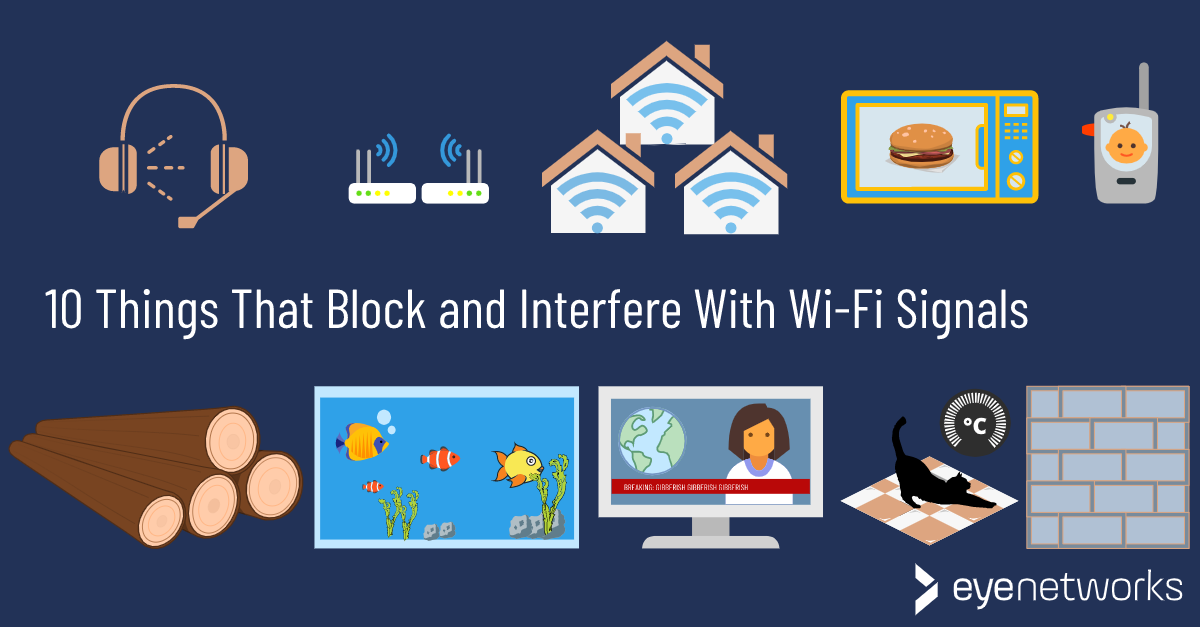
The 2.4 GHz Wi-Fi band has only a few channels that do not overlap in common home settings. In the United States, channels 1, 6, and 11 are usually selected because they reduce overlap with one another. However, nearby routers, Bluetooth devices, cordless phones, baby monitors, and other equipment may also use this band.
A microwave oven creates a strong burst of energy while it runs. Wi-Fi devices create much weaker signals, often from another room. When the microwave’s energy reaches a nearby router or client device, it can raise the background noise level.
Think of it like trying to hear a friend at a busy coffee shop. Your friend is still speaking, but the noise around you makes every word harder to understand. Wi-Fi works in a similar way. More noise can cause slower data speeds, delays, or a temporary connection drop.
The effect is usually worse when:
• The microwave and router sit close together.
• The router uses the 2.4 GHz band.
• Your device has a weak signal before the microwave turns on.
• The microwave door, seal, or casing is damaged.
• Several neighboring networks already crowd the same channel.
• The router or wireless adapter is old.
A strong 2.4 GHz signal may continue working with only a small speed loss. A weak signal may fail completely. That is why one person may never notice can the microwave interfere with wifi, while another sees the problem every day.

Does every microwave cause Wi-Fi problems?
No. Most microwaves do not create a serious Wi-Fi problem. They must meet safety and emissions limits, and their metal enclosure is designed to contain microwave energy.
The risk rises when the oven is very close to the router or the receiving device. A microwave on the other side of a wall may have little effect. A router placed directly beside the oven may experience more noise, especially if both use the 2.4 GHz range.
A damaged door or worn seal deserves attention. Do not use a microwave that has visible damage, a door that does not close firmly, or a bent frame around the door. Stop using it and have it checked by a qualified technician.
It is also important to avoid a common mistake: blaming the microwave too quickly. Slow Wi-Fi can come from many other causes, such as:
• Internet service problems.
• A weak router signal.
• Too many connected devices.
• Router overheating.
• Wireless channel congestion.
• Old router firmware.
• Interference from Bluetooth or cordless devices.
Testing the connection before, during, and after microwave use can show whether the oven is truly involved. This simple check prevents wasted money and helps separate radio interference from a broader network problem.

How to test whether a microwave is disrupting Wi-Fi
You can test can the microwave interfere with wifi in a few minutes. Use the same device and location for each test so the results are fair.
Run a simple timing test
-
Stand near the area where you notice the problem.
-
Open a reliable speed test or start a video stream.
-
Record the connection speed and response time.
-
Start the microwave for 30 to 60 seconds.
-
Watch for buffering, disconnects, or a sharp speed change.
-
Repeat the test when the microwave is off.
Try the test more than once. A single slow result may come from the internet provider rather than the microwave.
Test both Wi-Fi bands
If your router offers both 2.4 GHz and 5 GHz networks, connect your device to each one. Run the same test while the microwave operates.
The 5 GHz band is farther from the microwave’s operating frequency, so it is usually less affected. However, 5 GHz signals do not travel through walls as well as 2.4 GHz signals. A 5 GHz network may be faster near the router but weaker at the far end of the home.
Newer routers may also offer 6 GHz Wi-Fi. This band is not affected by microwave energy in the same direct way, but range and device support can limit its usefulness.
Check more than speed
Watch for these signs:
• Ping time suddenly rises.
• The Wi-Fi icon disappears.
• A call becomes choppy.
• A smart home device goes offline.
• The connection returns as soon as cooking stops.
If the problem appears only when the microwave runs and only on 2.4 GHz, you have strong evidence that interference plays a role.
How to stop microwave interference with Wi-Fi
Once you know can the microwave interfere with wifi in your home, start with simple changes. You may not need a new router or microwave.
Move the router
Place the router as far from the microwave as practical. Avoid putting it:
• Directly beside the oven.
• On top of the refrigerator next to the oven.
• Inside a cabinet near the kitchen.
• Behind thick metal objects.
• Near cordless phone bases or Bluetooth hubs.
A central, open location usually gives better coverage and reduces interference. Keep the router elevated, with space around its vents.
Use the 5 GHz network
Connect phones, laptops, streaming boxes, and game systems to 5 GHz when they are close enough to the router. Keep 2.4 GHz for devices that need longer range, such as some smart plugs or outdoor sensors.
Give the two bands different network names if your router allows it. This makes it easier to choose the right band during testing.
Change the 2.4 GHz channel
Use your router’s administration page or mobile app to select channel 1, 6, or 11. You can also use a trusted Wi-Fi analyzer to see which channel has less traffic.
Avoid changing settings at random. Test one channel at a time and keep notes. The best channel depends on nearby networks, so a setting that works well in one apartment may work poorly in another.
Reduce other sources of congestion
Move Bluetooth hubs, cordless phones, and wireless baby monitors away from the router. Turn off unused devices that constantly transmit data. Update the router firmware and restart the network if it has been running for a long time.
Use a wired connection
For a desktop computer, television, game console, or streaming box near the router, an Ethernet cable can remove wireless interference entirely. It is often the most stable choice for video calls, gaming, and high-resolution streaming.
Can a microwave damage a router or phone?
A microwave normally does not damage a router, phone, or laptop. The usual problem is temporary interference, not permanent harm.
Microwave energy is non-ionizing radiation. It does not work like X-rays, and ordinary household exposure from an intact oven is tightly controlled. The more realistic concern is connection quality, not device damage.
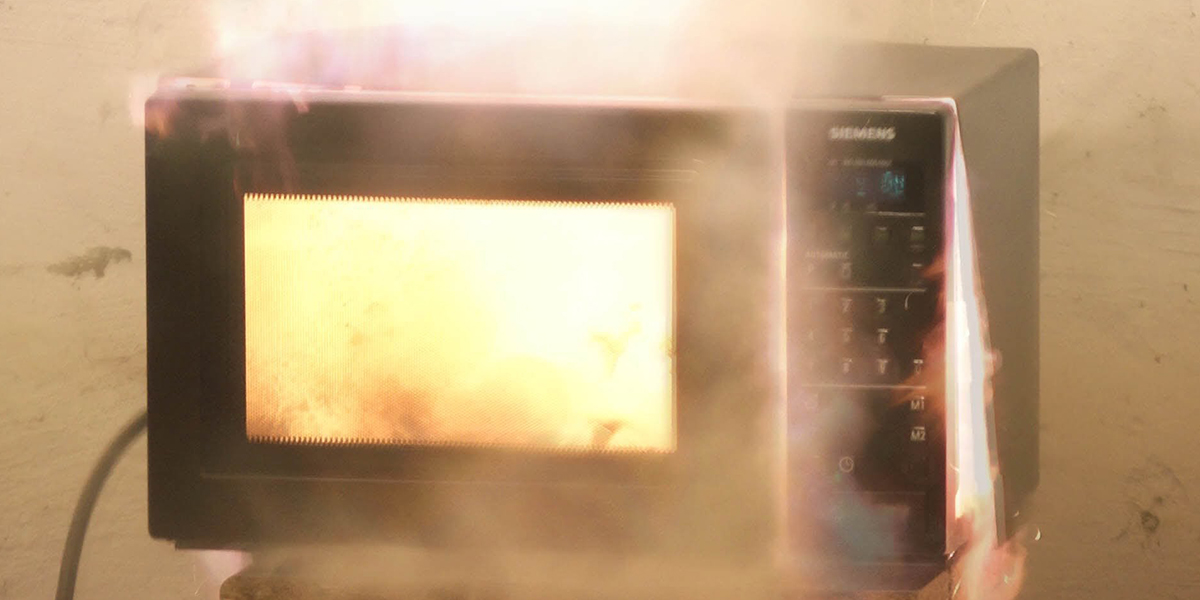
A microwave can still damage electronics through heat, moisture, or an electrical fault. For example, placing a router above a hot appliance may reduce its lifespan. A power surge from a faulty appliance can also affect network equipment, but that is an electrical issue rather than normal Wi-Fi interference.
Do not place phones, routers, or other electronics inside a microwave. Even a powered-off device can be destroyed, and the oven may be damaged.
If the oven sparks, smells unusual, trips a circuit breaker, or has a damaged door, stop using it. A network problem is minor compared with a possible safety hazard.

Does microwave interference affect internet speed?
Microwave interference can reduce the speed and stability of a wireless connection, but it does not slow the internet service itself.
Your internet plan and modem may still provide the same speed. The interference happens between the router and the connected device. When Wi-Fi detects corrupted data, it sends the data again. Those retries use extra time and reduce the amount of useful information delivered each second.
This can feel like slower internet. A speed test may show lower download speed, higher latency, or a failed connection. Once the microwave turns off, the network may recover within seconds.
The effect is often more noticeable during activities that need a steady connection:
• Video calls.
• Online games.
• Live sports streams.
• Cloud backups.
• Smart camera recordings.
• Large file downloads.
If only one room has the issue, the problem may be weak coverage combined with microwave noise. A mesh system, access point, or wired connection can help, but improve router placement first.

Router placement tips for a stronger Wi-Fi signal
Good placement can reduce the chance that can the microwave interfere with wifi while also improving coverage.
Follow these practical rules:
• Put the router near the center of your home.
• Keep it in an open space, not inside furniture.
• Place it above floor level.
• Keep it away from metal, thick concrete, and large appliances.
• Leave space around the router for airflow.
• Point external antennas in different directions.
• Keep the router away from the microwave and refrigerator.
• Place an access point closer to areas with weak coverage.
Walls and floors can weaken wireless signals. Metal surfaces can reflect or block them. A router in a corner may send much of its signal outside the home, while a central location spreads coverage more evenly.
In real troubleshooting, moving a router just a few feet can make a clear difference. People often buy a faster plan when the real issue is poor router placement. Test the physical layout before spending money.
2.4 GHz versus 5 GHz Wi-Fi
The choice between 2.4 GHz and 5 GHz affects how likely can the microwave interfere with wifi becomes.
2.4 GHz Wi-Fi
Advantages include:
• Longer range.
• Better wall penetration.
• Support for many older smart home products.
Limitations include:
• More congestion.
• Lower typical speeds.
• Greater risk of overlap with microwave energy.
5 GHz Wi-Fi
Advantages include:
• Higher speeds in many homes.
• More available channels.
• Less direct risk from microwave interference.
Limitations include:
• Shorter range.
• Weaker performance through walls.
• Less support on very old devices.
Use 5 GHz for nearby, high-speed devices. Use 2.4 GHz when range matters more than speed. If your router combines both bands under one network name, its automatic band steering may choose the best option, but separate names can make troubleshooting easier.
Common mistakes when troubleshooting microwave interference
Many people make the same errors when investigating can the microwave interfere with wifi.
The first mistake is testing only once. Wireless conditions change from minute to minute. Nearby networks may become busy, and the internet provider may have a temporary issue.
The second mistake is testing far from the router. If the signal is already weak, almost any interference can appear severe. Test near the router first, then repeat the test in the problem area.
The third mistake is changing too many settings at once. If you move the router, change the channel, update firmware, and replace the microwave on the same day, you will not know which step helped.
Use this order instead:
-
Confirm the problem while the microwave runs.
-
Test 2.4 GHz and 5 GHz separately.
-
Move the router farther away.
-
Select a less crowded 2.4 GHz channel.
-
Update router firmware.
-
Use Ethernet or add a mesh access point if needed.
-
Inspect or replace a damaged microwave.
This process is simple, low cost, and easy to reverse.
Frequently Asked Questions: Can the Microwave Interfere With Wi-Fi?
Can a microwave interfere with Wi-Fi during cooking?
Yes, a microwave can interfere with Wi-Fi when both operate near the 2.4 GHz band. The effect is usually temporary and ends shortly after the microwave stops.
Does 5 GHz Wi-Fi avoid microwave interference?
5 GHz Wi-Fi is usually much less affected because it uses a different frequency range. It may still perform poorly if the router is too far away or walls weaken the signal.
Should I replace my microwave if Wi-Fi drops?
Not immediately. First test router placement, Wi-Fi bands, and network congestion; replace or repair the microwave only if it has visible damage or causes problems that clearly match its operation.
Can a microwave interfere with Bluetooth?
It can. Bluetooth also uses the 2.4 GHz band, so a microwave may cause short interruptions in wireless headphones, speakers, keyboards, or other Bluetooth devices.
Will a Wi-Fi extender fix microwave interference?
An extender may help if weak coverage is part of the problem, but it will not remove interference near the microwave. Place the extender away from the oven and connect affected devices to 5 GHz when possible.
Is microwave Wi-Fi interference dangerous?
Normal interference is not usually dangerous; it mainly affects connection quality. However, do not use a microwave with a damaged door, seal, or casing because that creates a separate safety concern.
Conclusion
A microwave can interfere with Wi-Fi, especially when a router or device uses the 2.4 GHz band nearby. The interference usually causes temporary slowdowns, buffering, higher delay, or dropped connections rather than permanent damage.
Start by testing the connection while the microwave runs. Then move the router, use 5 GHz Wi-Fi, select a cleaner 2.4 GHz channel, and choose a wired connection for important devices. If the microwave is damaged, stop using it and arrange a professional inspection.
Try these steps before replacing your router or upgrading your internet plan. If you found another useful fix, share it in the comments or explore more home networking guides for practical ways to improve your connection.

Appliance Review Expert
Lucas Ramirez is a trusted voice at HomeFixGrid.com, known for his clear, practical, and creatively written guides that simplify appliance care for everyday homeowners. With a strong focus on hands-on testing and real-world problem-solving, Lucas brings expert insight into appliance reviews and troubleshooting techniques. Her work empowers readers to confidently maintain, repair, and choose the right appliances for their homes.