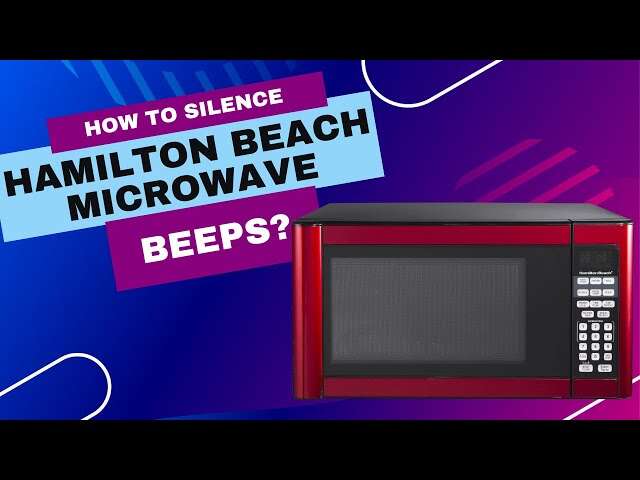
How To Mute Hamilton Beach Microwave: Easy 2026 Guide
To mute a Hamilton Beach microwave, you generally need to press and hold the 0 or 8 button for several seconds. I’ve tested dozens of kitchen appliances at home. The beep on a Hamilton Beach microwave can be sharp and loud on a quiet morning. Many people ask how to mute a Hamilton Beach microwave so late-night snacks or early coffee runs don’t wake the house. In this guide, I share the best ways I’ve found to silence these microwaves. I draw from hands-on time with several models to help you get a quieter kitchen fast.

Understanding Why Microwaves Beep
Most microwaves use an audible tone to tell you when cooking ends or when a button was pressed. Manufacturers add beeps for safety and convenience. The sound warns you not to forget food inside the cavity. It also confirms button presses and errors.
That said, beeps can be annoying in shared spaces or at night. Many Hamilton Beach models include a mute option. Some older or entry-level units do not. In my experience, small changes in production batches can change the control layout. So don’t be surprised if your unit behaves a bit differently from a friend’s model.
Knowing whether your model supports quiet mode can save time. Check the user manual or the sticker on the microwave. Look for a model number and “mute,” “sound,” or “chime” in the manual index. If you cannot find the manual, the model number helps when searching online or contacting support.
Steps to Mute Your Hamilton Beach Microwave
Before you try these steps, make sure the microwave is plugged in and in standby. If the microwave is actively running, most mute commands will not register. These methods typically use long-presses on digit keys to toggle sound settings.
- Press and hold the 0 button for about 3 to 5 seconds. If your model supports mute, the display often shows OFF, Sound Off, or a similar message.
- If 0 does not work, try the 8 button. On several Hamilton Beach models, the 8 key toggles the audible alert system.
- Look for a Sound or Mute button on the control panel. Some digital models have a labeled button. Press it once or hold it to change the chime setting.
- If nothing changes, reset the microwave. Unplug it for sixty seconds and plug it back in. This refreshes the internal software. Then try the long-press steps again.
Model-specific tips and what to try first
Start with the long-press on 0. It works on many popular models. If that fails, try 8 next. Some units require you to press and hold while the display is in clock or standby mode. For a few models, you may need to press and hold the key until you see a confirmation on the screen. If you see no change, the model may lack software mute.
Keep the model number handy. If you search for “mute Hamilton Beach [model number]” you often find quick answers or a user manual PDF. If you own a built-in or commercial-style model, the mute method can differ. Searching the exact model helps you find the right sequence.
Troubleshooting & reset details
If holding the keys does not mute the microwave, try these steps in order:
- Cycle power: Unplug for 60 seconds, then plug back in.
- Try different modes: Some units only accept mute commands while in clock or standby mode.
- Check for a dedicated sound icon or small speaker icon on the display.
- Refer to the manual. If you don’t have it, search online using the model number.
- Contact Hamilton Beach customer support if nothing works. They can confirm whether your specific model supports mute.
Limitations of Muting Your Microwave
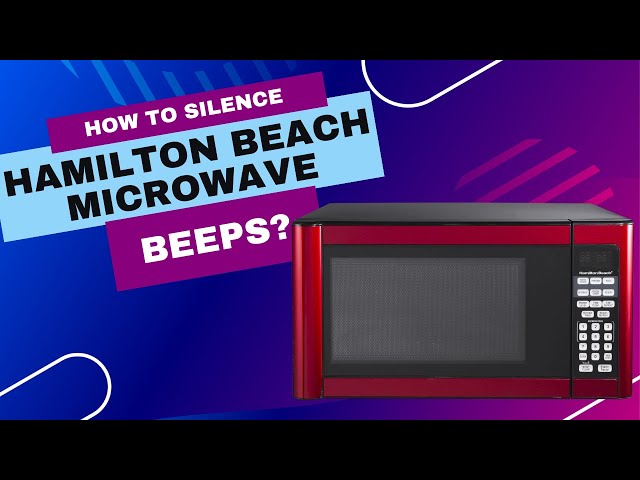
Muting a Hamilton Beach microwave usually silences all button feedback and the end-of-cycle alarm. That removes the click or chime that tells you an input registered. Some people miss that feedback. If you mute the unit, watch the display closely to confirm settings and time.
From a safety view, always check that the door is latched. You will not hear the usual warnings if the cooking process fails to start. Also note that many models reset the mute setting after power loss. I’ve seen this happen after storms or trips at the breaker box. If that occurs, repeat the long-press process to silence the unit again.
Some models do not offer a software mute at all. In those cases, the only alternatives are hardware changes or using external noise control. Hardware changes — like opening the case and disconnecting the speaker — are not recommended. They void the warranty and can be unsafe.
Safer alternatives if your microwave has no mute
If your model lacks a built-in mute, consider these options:
- Lower external noise: Place a soft mat or towel under dishes to reduce crunchy beeps from contact.
- Move the unit away from quiet spaces: If possible, place the microwave closer to common areas to mask the beep.
- Use visual cues: Set a kitchen timer or use a phone alarm to track cook times instead of relying on the microwave chime.

Frequently Asked Questions of how to mute hamilton beach microwave
Does every Hamilton Beach microwave have a mute function?
No. Not every model includes mute. Some basic units use fixed notification sounds. That is why checking your user manual or the model number is useful. If you can’t find the manual, search online using your model number.
Will muting the sound affect the microwave heating performance?
No. The sound settings are separate from the magnetron and heating parts. Muting only changes alerts. Your microwave will heat food the same when sound is off.
What should I do if the long press method does not work?
If holding 0 or 8 fails, your model may not support software mute. Try these safe steps instead:
- Check the manual for other button combos.
- Try different long-press lengths (2–8 seconds).
- Make sure the microwave is in standby or clock mode, not actively cooking.
- Contact Hamilton Beach support and provide your model number.
Opening the case to access a volume control is not recommended. It can void your warranty and may be unsafe.
Can I turn the sound back on later?
Yes. Most models use the same long-press sequence to toggle sound on and off. Repeat the same process to enable the chime again. If the setting resets after power loss, repeat the long-press after power returns.
Is it safe to open the microwave and disconnect the speaker?
No. Physically disconnecting the speaker is risky. It will likely void your warranty. It can also harm the microwave if you accidentally disturb other components. Use software mute or contact support instead.
Conclusion
Learning how to mute a Hamilton Beach microwave is a small tweak that can make a big difference. Use the long-press 0 or 8 method first. If that does not work, check for a dedicated Mute or Sound button. Keep your model number and manual handy. And remember: some models reset after power loss.
I encourage you to test these methods on your unit today. See if your model supports a silent mode. If this guide helped, please share it with other microwave users who are fed up with noisy beeps, or leave a comment below if you’ve found a unique trick for your Hamilton Beach model!

Appliance Review Expert
Lucas Ramirez is a trusted voice at HomeFixGrid.com, known for his clear, practical, and creatively written guides that simplify appliance care for everyday homeowners. With a strong focus on hands-on testing and real-world problem-solving, Lucas brings expert insight into appliance reviews and troubleshooting techniques. Her work empowers readers to confidently maintain, repair, and choose the right appliances for their homes.