How To Use Nuwave Air Fryer: Easy Beginner Guide
Introduction
A NuWave air fryer cooks food with fast-moving hot air. It can crisp food with little or no added oil. In the United States, most NuWave air fryers use a digital control panel for time and temperature. Exact buttons and features vary by model, such as the NuWave Brio, so check the manual for your unit before cooking.
To use a NuWave air fryer, place food in the basket, set the cooking time and temperature, and check the food before serving. For meat, use a food thermometer. Color and cooking time alone cannot prove that meat is safe.
This guide explains how to set up a NuWave air fryer, choose time and temperature, cook common foods, clean the unit, and fix common problems.
What You Need Before Using a NuWave Air Fryer
You need the air fryer, its basket or cooking rack, food, and a heat-safe surface. You should also have tongs and a food thermometer.
Keep the air fryer on a flat surface with open space around it. Do not place it under a cabinet while it runs. Hot air and steam need room to escape.
Before the first use:
- Remove all packing material.
- Take out the basket, pan, and rack if your model has them.
- Wash removable parts with warm, soapy water.
- Dry each part well.
- Wipe the inside and outside with a damp cloth.
- Place the unit near a grounded electrical outlet.
- Read the manual for your exact NuWave model.
Do not put the main air fryer unit in water. The unit contains electrical parts.
Some new air fryers may have a light plastic smell during the first use. Run the empty unit for a short cycle in a well-ventilated area if the manual allows it. Stop using the unit if you see smoke, smell burning plastic, or notice damage to the cord.
Know the main parts
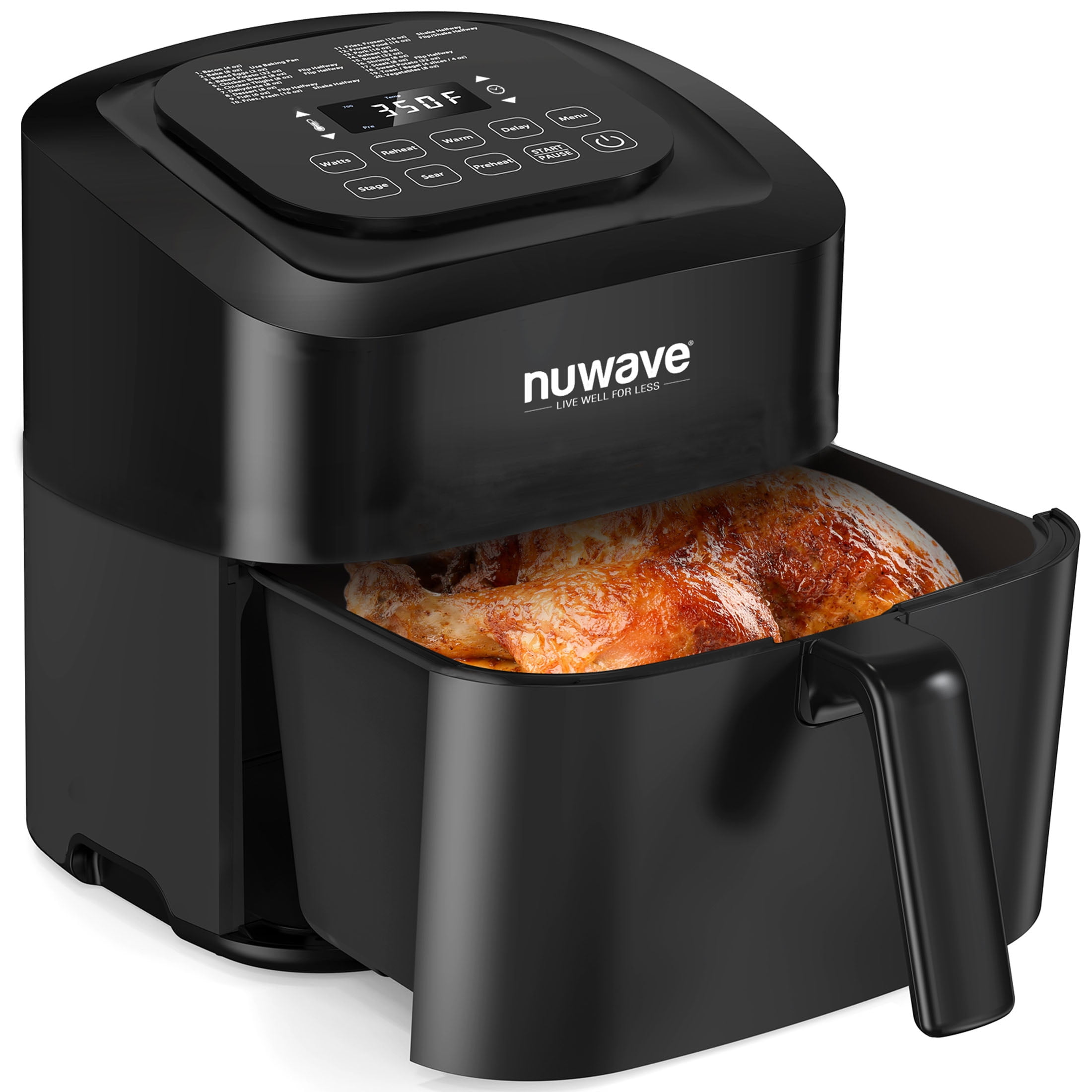
Most NuWave air fryers have:
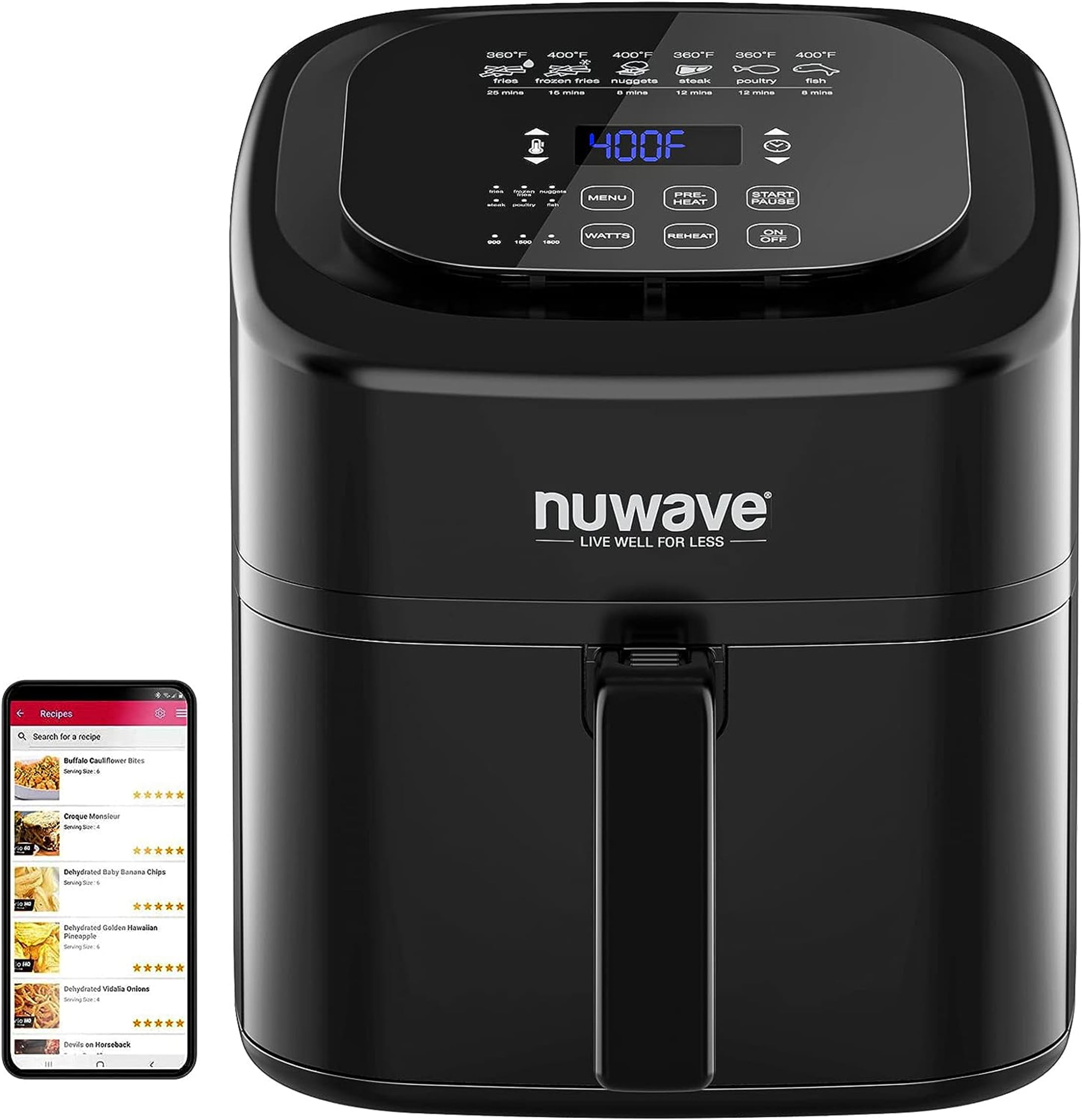
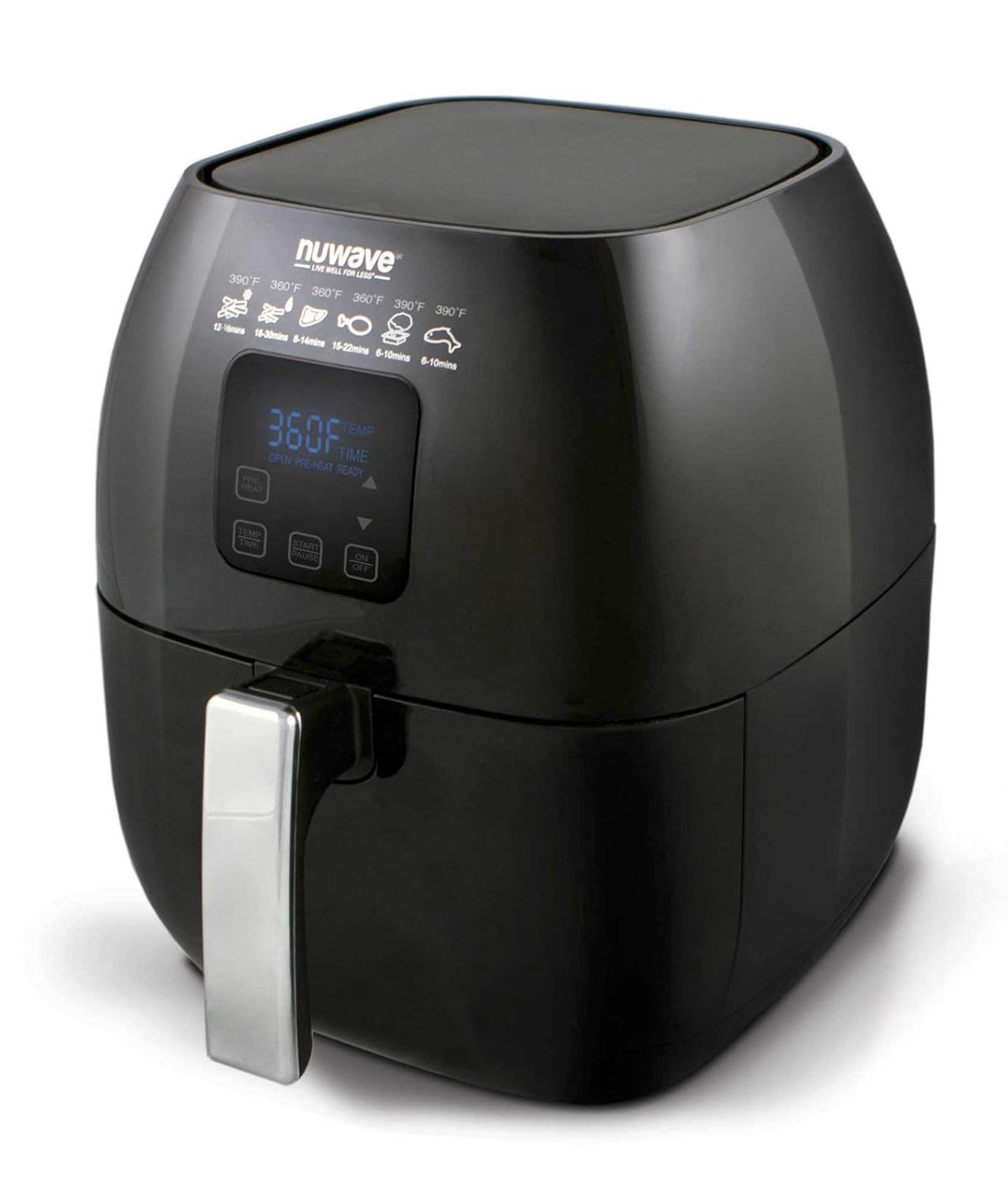
- Control panel: Sets the time, temperature, and cooking programs.
- Cooking basket: Holds the food.
- Basket pan or drawer: Catches fat and food pieces.
- Rack: Adds a second cooking level on some models.
- Heating element: Produces heat above the food.
- Fan: Moves hot air around the food.
The fan helps food brown. It does not make every food crisp. Moisture, crowding, coating, and food shape also affect the result.
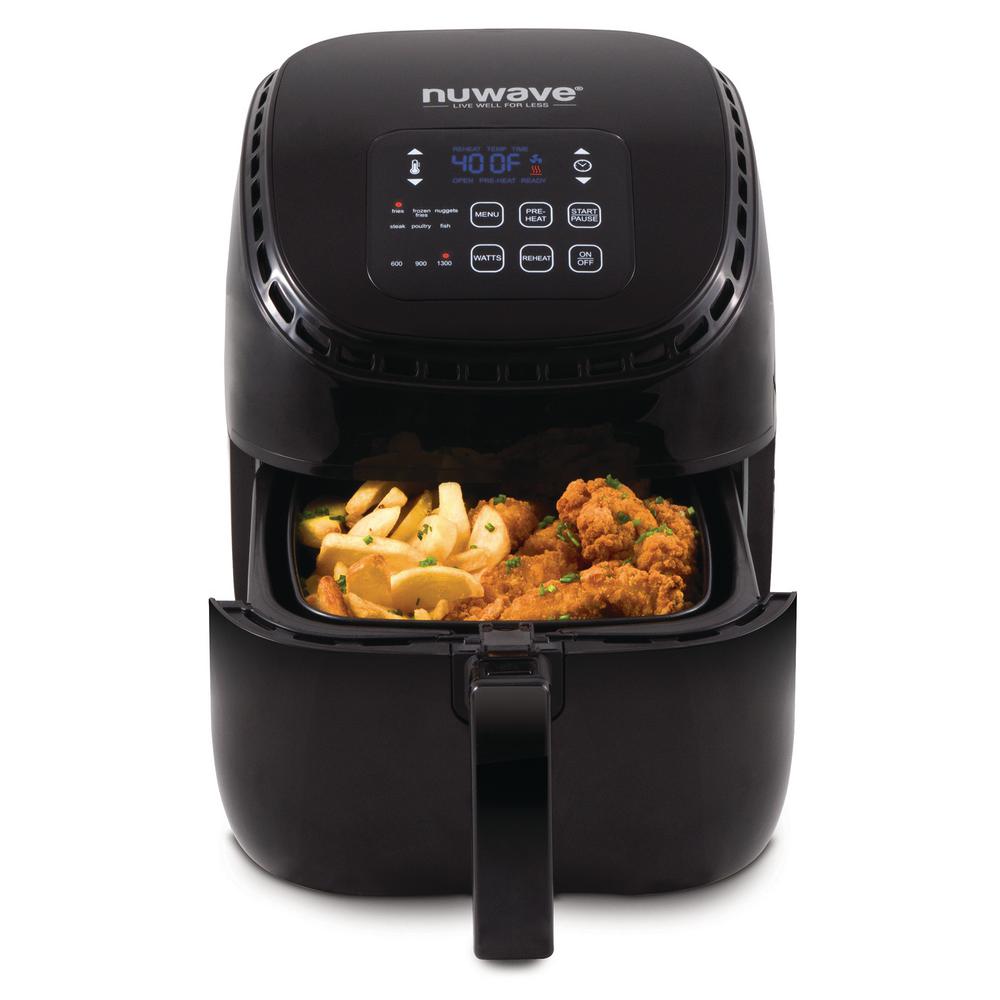
How to Set Up and Start a NuWave Air Fryer
The basic process is the same for most NuWave models, but the buttons may differ. Some models use touch buttons. Others use dials or preset programs.
1. Place the air fryer safely
Set the air fryer on a stable, heat-safe counter. Leave space around the air vents. Keep the cord away from hot surfaces.
Do not use the air fryer near water. Do not cover the air vents. Do not place anything on top of the unit while it is running.
2. Insert the basket or rack
Put the basket into the pan. Make sure it sits level. If your model uses a rack, install it as shown in the manual.
Do not run the unit without the parts that the manual requires. A loose basket can affect cooking and may create a safety risk.
3. Add the food
Place food in a single layer when possible. Leave small gaps between pieces. Air must move around the food.
Light foods, such as bread or parchment, may move during cooking. Use only accessories approved for air fryers. Never place loose parchment or foil in the basket during preheating. The fan may pull it into the heating element.
4. Set the temperature
Press the temperature control or turn the temperature dial. Choose the setting for your food.
Many air fryer recipes use temperatures from about 350°F to 400°F. Frozen foods often need a high setting. Delicate foods may need less heat.
Use the food package directions as a starting point for frozen food. Air fryers can cook faster than a full-size oven.
5. Set the time
Set the cooking time. If you are unsure, choose a shorter time first. You can cook the food longer, but you cannot undo overcooking.
For small or thin foods, check early. For thick foods, turn or shake them during cooking if the recipe calls for it.
6. Press Start
Press the Start, On/Off, or similar button. Some NuWave models begin cooking after you set the time and temperature. Others need a separate Start button.
The display may count down. You may hear the fan cycle on and off. This is normal for many models.
7. Check and finish
Open the basket carefully. Hot steam may escape. Shake the basket or turn the food with tongs if needed.
Check the food for doneness. For meat, insert a food thermometer into the thickest part. If the food needs more time, return the basket and add a few minutes.
Signs that the air fryer is working
A working NuWave air fryer may:
- Produce warm air from the vent.
- Make a steady fan sound.
- Show a countdown on the display.
- Pause when the basket is removed on some models.
- Stop when the timer reaches zero.
The fan may keep running for a short time after cooking. This can help cool the unit.

Should You Preheat a NuWave Air Fryer?
Preheating is useful when a recipe needs a hot cooking surface from the start. It can also help frozen food brown more evenly. However, not every NuWave recipe needs preheating.
Check the manual and recipe instructions first. If preheating is allowed, run the air fryer empty at the cooking temperature for about 3 to 5 minutes. Do not leave food in the basket during this step.
You may skip preheating for:
- Foods that cook for a long time.
- Foods that do not need strong browning.
- Recipes written for a cold start.
- Foods that are likely to dry out.
Preheating changes the total cooking time. If a recipe says to preheat, the listed time usually starts after the air fryer reaches the target temperature.
Do not preheat with loose parchment paper, foil, or other light items inside the basket. They may lift into the heating element.
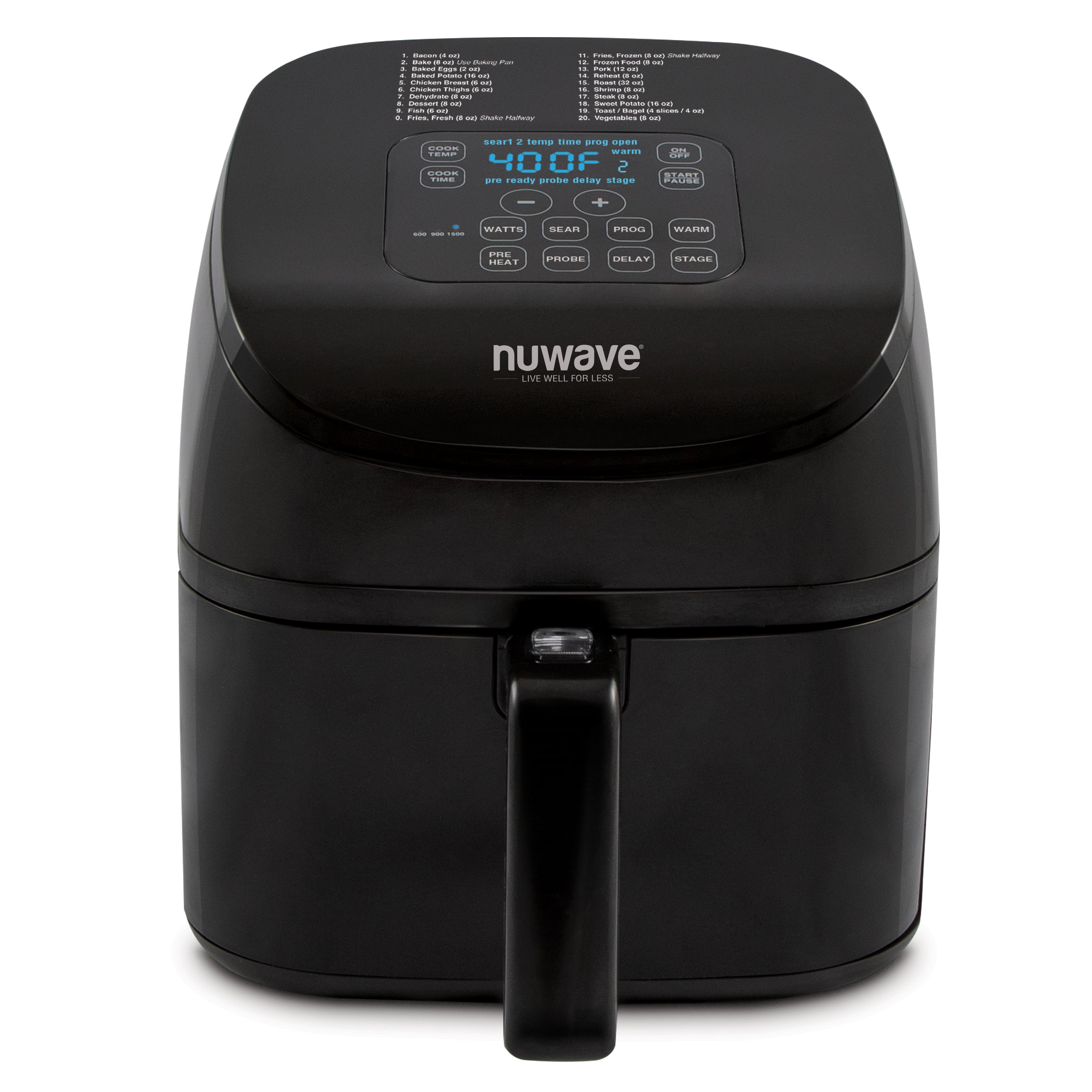
How to Choose NuWave Air Fryer Time and Temperature
Use the recipe, food package, or NuWave manual as your first guide. Then adjust based on the food size, amount, and starting temperature.
The following table gives general starting points. It is not a substitute for package directions or a food thermometer.
| Food | Starting temperature | Approximate time | Useful check |
|---|---|---|---|
| Frozen French fries | 375°F to 400°F | 12 to 20 minutes | Shake two or three times |
| Frozen chicken tenders | 375°F to 400°F | 12 to 18 minutes | Check the center |
| Fresh chicken wings | 375°F to 400°F | 20 to 30 minutes | Turn halfway |
| Salmon fillet | 375°F to 400°F | 8 to 14 minutes | Check the thickest part |
| Fresh vegetables | 350°F to 400°F | 8 to 18 minutes | Shake once or twice |
| Bacon | 350°F to 375°F | 8 to 15 minutes | Check often |
| Toasted sandwiches | 350°F to 375°F | 5 to 10 minutes | Secure light toppings |
These times can change a lot. A crowded basket cooks less evenly. Thick food takes longer than thin food. Frozen food may need more time than fresh food.
Use the right temperature for the goal
- Lower heat: Helps prevent burning and works well for delicate food.
- Medium heat: Works for many vegetables, fish, and reheating tasks.
- High heat: Helps brown fries, wings, and breaded food.
- Short time: Keeps small foods from drying out.
- Long time: Allows thick food to heat through.
Do not rely on a preset button without checking the food. Presets are helpful starting points, not guarantees. A “chicken” preset may not suit a thin chicken breast, a large thigh, or frozen nuggets.
Why air fryer food burns or stays soft
Food may burn when the temperature is too high, the pieces are too small, or the cooking time is too long.
Food may stay soft when the basket is crowded, the surface is wet, or the food has too much oil. Pat fresh food dry before cooking. Use a light oil coating rather than pouring oil into the basket.
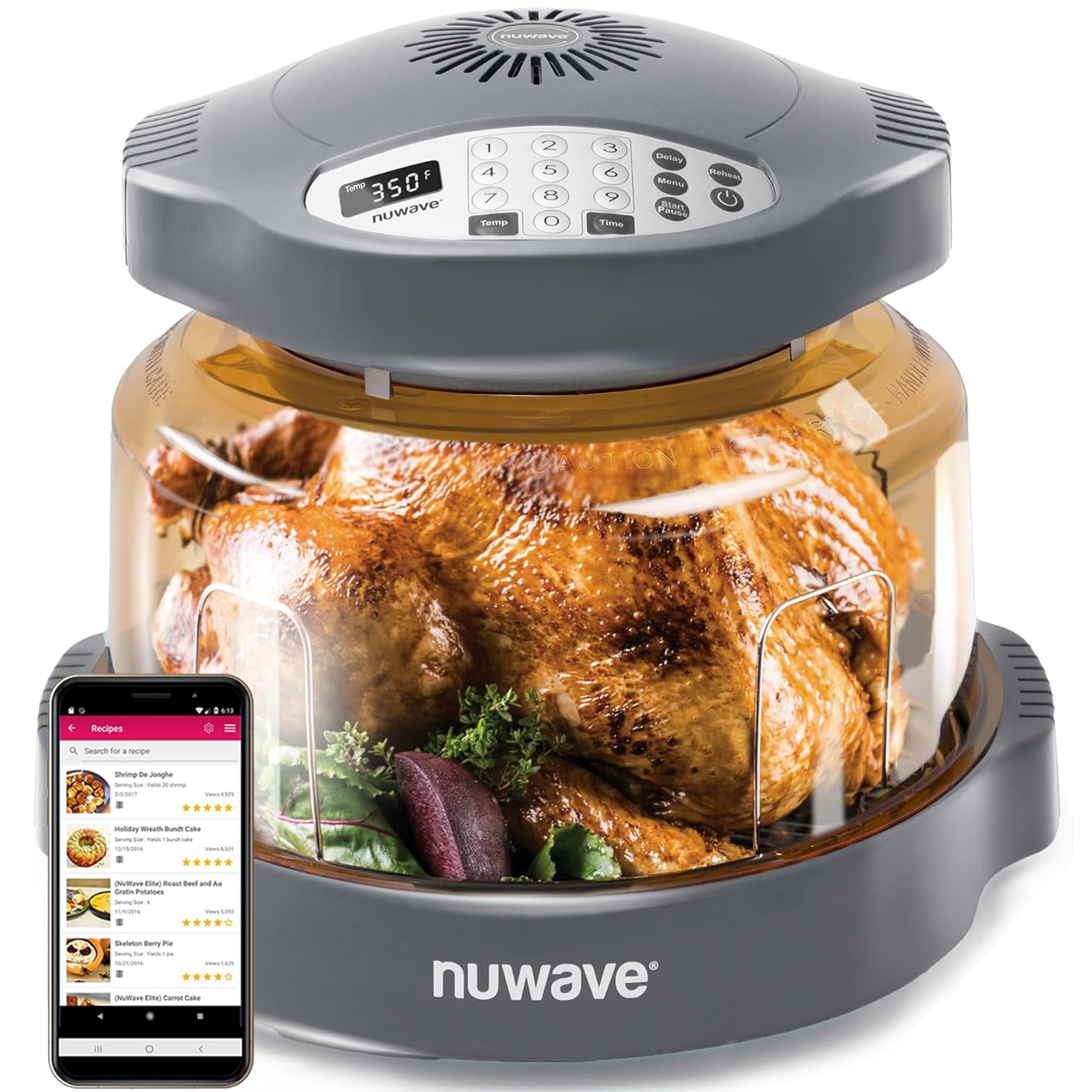
How to Cook Common Foods in a NuWave Air Fryer
French fries
For frozen fries, place a single layer in the basket when possible. Cook at about 375°F to 400°F. Shake the basket during cooking so the fries brown more evenly.
Fresh potato fries need more preparation. Cut them into similar sizes, rinse away some surface starch, and dry them well. Add a small amount of oil before cooking.
Chicken
Arrange chicken pieces with space between them. Turn them during cooking if the pieces are thick or the recipe calls for it.
The U.S. Department of Agriculture recommends cooking poultry to 165°F inside. Measure the thickest part without touching bone.
Chicken skin may brown before the center is safe. Always use a thermometer for chicken breast, thighs, wings, and breaded chicken.
Burgers and ground meat
Shape burgers to an even thickness. This helps them cook at the same rate.
Ground beef should reach 160°F inside, according to USDA guidance. Ground pork and other ground meats also need a safe internal temperature. Check the center of the thickest burger.
Avoid pressing burgers during cooking. Pressing can release juices and may cause more smoke from the fat.
Steak, pork chops, and other whole cuts
Air frying can brown smaller whole cuts, but thickness matters. Turn the meat when needed and check the center with a thermometer.
USDA guidance lists 145°F, followed by a 3-minute rest, for whole cuts of beef, pork, lamb, and veal. Follow your recipe and use a thermometer for the best result.
Fish
Pat fish dry before seasoning. Brush it with a small amount of oil if needed. Use a lower time at first because fish can dry out quickly.
Fish should be opaque and separate easily with a fork. A thermometer gives a better check. Many fish recipes use 145°F as the target internal temperature.
Vegetables
Cut vegetables into pieces of similar size. Toss them with a small amount of oil and seasoning.
Dense vegetables, such as potatoes and carrots, need more time. Soft vegetables, such as zucchini, may cook faster. Shake the basket once or twice to improve browning.
Reheating leftovers
An air fryer can restore crispness to pizza, fries, chicken, and roasted food. Use a moderate temperature and check often.
For many leftovers, 325°F to 375°F works as a starting range. The food must reach 165°F when reheated, according to USDA guidance.
Do not reheat food in a sealed container. Use an air-fryer-safe dish only if your model allows one.
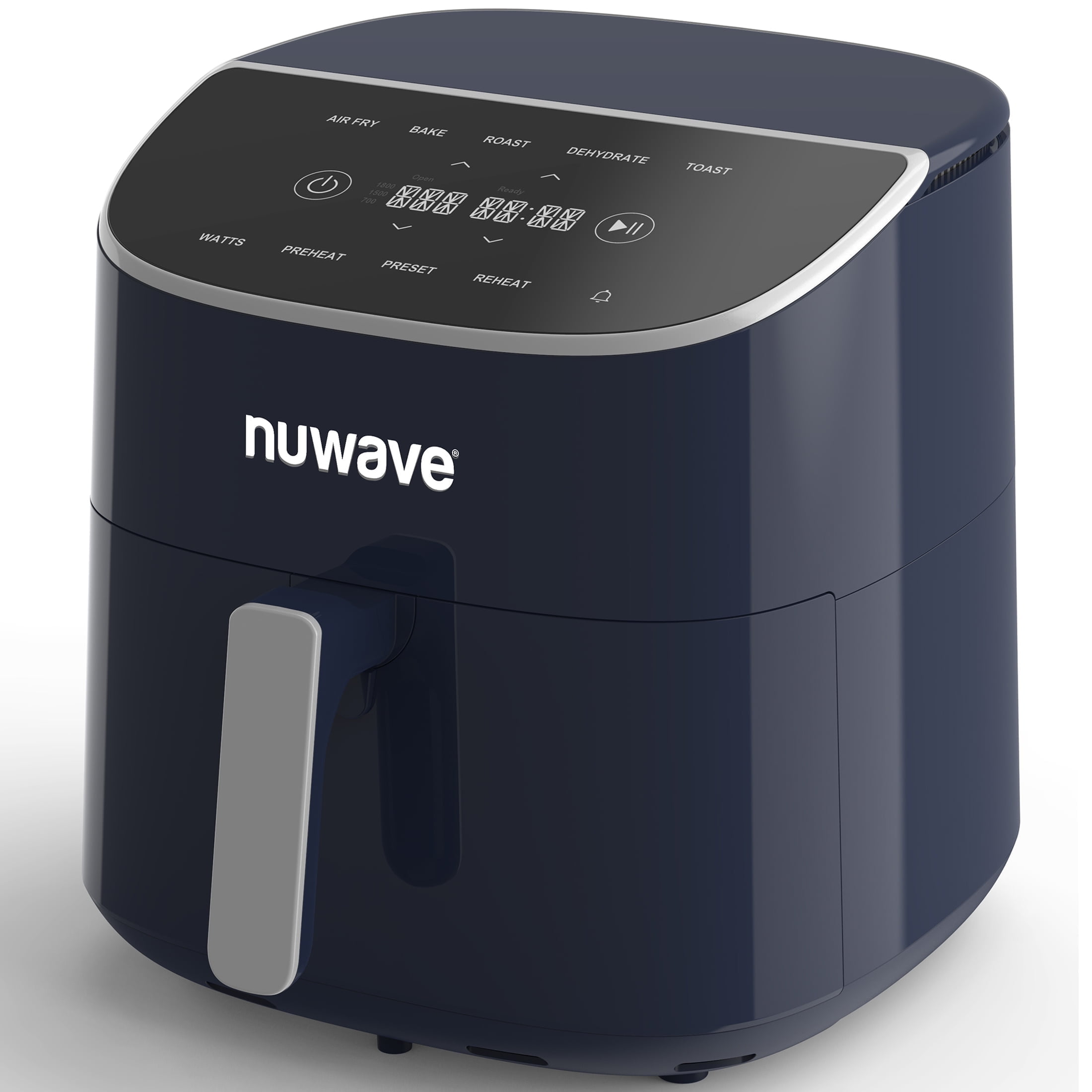
How to Use Oil, Foil, Parchment, and Accessories
A NuWave air fryer does not need a full pan of oil. The fan moves hot air around the food. A light coating can improve browning and help seasonings stick.
Use an oil sprayer that creates a fine mist. Avoid filling the basket with oil. Do not use the air fryer as a deep fryer.
Parchment paper
Use perforated parchment made for air fryers when allowed by the manual. The holes help air move through the basket.
Put food on the parchment before starting the cooking cycle. The food should hold the paper down. Never use loose parchment during preheating.
Aluminum foil
Some models allow foil, while others give limits. Check the NuWave manual. Do not block all airflow or cover the heating area.
Foil can also change how food cooks. It may stop air from reaching the bottom and can reduce crispness.
Silicone liners and baking dishes
Use only heat-safe accessories that fit without touching the heating element. Leave room for airflow.
A dish that is too large can block circulation. A small, shallow dish often works better than a deep one.
When to use a rack
A rack can help you cook two layers of food. Do not stack food so tightly that air cannot move. Swap the layers if the top cooks faster than the bottom.
How to Clean a NuWave Air Fryer
Clean the basket and pan after each use. Grease and crumbs can smoke during later cooking.
- Unplug the air fryer and let it cool.
- Remove the basket and pan.
- Empty crumbs and grease.
- Wash removable parts with warm, soapy water.
- Use a soft sponge or cloth.
- Dry the parts before putting them back.
- Wipe the inside with a damp cloth.
- Wipe the heating area only when it is cool.
- Check the air vents for buildup.
Some NuWave parts may be dishwasher safe. Confirm this in the manual before using a dishwasher.
Do not use steel wool or harsh cleaners on nonstick surfaces. Do not scrape the basket with metal tools. Damage to the coating can make food stick and may shorten the life of the basket.
If the air fryer smokes, unplug it after cooking stops and let it cool. A small amount of smoke may come from grease or food residue. Repeated smoke, sparks, a damaged cord, or a burning smell requires you to stop using the unit.
NuWave Air Fryer Troubleshooting
The air fryer will not turn on
Check these points in order:
- Make sure the plug is fully in the outlet.
- Test the outlet with another device.
- Confirm that the basket or pan is seated correctly.
- Check whether the display is locked or in standby mode.
- Review the manual for error codes.
Do not use the unit if the cord or plug is damaged. Do not open the electrical housing yourself.
The food cooks unevenly
Uneven cooking often comes from crowding. Use a smaller batch, shake the basket, or turn the food halfway through.
Pieces of different sizes can also cook at different speeds. Cut food into similar pieces when possible.
The food is not crisp
Dry the surface before cooking. Use less food in the basket. Add a small amount of oil if appropriate.
Wet batter may drip through the basket or remain soft. A dry coating, such as seasoned flour or breadcrumbs, often works better in an air fryer.
The food cooks too fast
Lower the temperature or reduce the time. Check the food earlier than the recipe says if your model is small or powerful.
A recipe written for a conventional oven may need adjustment. Air fryer baskets place food closer to the heat source.
The air fryer produces smoke
Fatty food can release grease that smokes. Empty excess grease when safe, and clean the basket and pan.
Never pour water into hot grease. Unplug the air fryer if smoke continues or if you see flames. Keep the drawer closed if a grease fire starts, and follow local emergency guidance.
The display shows an error
Write down the error code. Turn the unit off, unplug it, and let it cool. Check the exact NuWave manual for that model.
If the error returns, contact NuWave support or a qualified repair service. Do not bypass safety switches.

Food Safety Rules for Air Frying
Use a separate food thermometer for meat and leftovers. Insert it into the thickest part of the food. For thin food, insert the thermometer from the side.
Keep raw meat separate from ready-to-eat food. Wash hands, boards, and utensils after handling raw meat.
Do not thaw meat on the counter. Thaw it in the refrigerator, in cold water, or in the microwave if you cook it at once.
Air frying does not remove all food safety risks. A browned crust does not prove that the center is safe. Use USDA temperature guidance:
- Poultry: 165°F
- Ground meats: 160°F
- Whole cuts of beef, pork, lamb, and veal: 145°F, then rest for 3 minutes
- Leftovers and casseroles: 165°F
These temperatures apply to the food’s internal temperature, not the air fryer setting.

Key Takeaways
- Read the manual for your exact NuWave model.
- Keep food in a loose, even layer.
- Preheat only when the recipe or manual supports it.
- Check food early because air fryers vary.
- Use a thermometer for meat and leftovers.
- Clean the basket and pan after each use.
- Never place the main air fryer unit in water.
- Stop using the unit if it sparks, smokes heavily, or has a damaged cord.
FAQs About Using a NuWave Air Fryer
Do I need to preheat a NuWave air fryer?
Not always. Preheating can help with browning and crisping, but some recipes work well without it. Follow the instructions for your model and recipe.
Can I put aluminum foil in a NuWave air fryer?
Only if the manual for your model allows it. Do not block the basket vents or cover the entire cooking surface. Loose foil can move into the heating element.
Can I use cooking spray in a NuWave air fryer?
A light coating can help food brown. Check the spray label and your basket instructions. Some aerosol sprays may damage certain nonstick coatings over time.
Why does my NuWave air fryer stop when I pull out the basket?
Many models use a basket safety switch. The unit may pause when the basket is removed. Put the basket back in fully, then press Start if needed.
Can I cook frozen food without thawing it?
Many frozen foods can go straight into the air fryer. Follow the package directions, allow extra time if needed, and check the center of meat products with a thermometer.
Conclusion
To use a NuWave air fryer, load the basket without crowding it, set the correct temperature and time, and check the food before serving. Start with the NuWave manual or food package directions, then adjust for size, amount, and moisture.
The safest next step is simple: find your model number, read its accessory and temperature instructions, and cook a small batch first. Once you learn how your NuWave air fryer runs, you can adjust time and heat with much more confidence.
Sources and further reading
- USDA Safe Minimum Internal Temperature Chart
- USDA Kitchen Thermometers
- NuWave Product Manuals and Support

Appliance Review Expert
Lucas Ramirez is a trusted voice at HomeFixGrid.com, known for his clear, practical, and creatively written guides that simplify appliance care for everyday homeowners. With a strong focus on hands-on testing and real-world problem-solving, Lucas brings expert insight into appliance reviews and troubleshooting techniques. Her work empowers readers to confidently maintain, repair, and choose the right appliances for their homes.