What Does Reset Filter On Microwave Mean: Meaning & Fix
On a microwave, “Reset Filter” usually means the filter reminder needs to be cleared after you clean or replace a filter. It does not normally mean the microwave has a serious fault.
This message is common on over-the-range microwaves in U.S. kitchens. These models often have a fan that pulls cooking smoke, steam, grease, and odors through one or more filters. After a set amount of use or time, the microwave displays a reminder such as FILTER, RESET FILTER, or CLEAN FILTER.
The reminder is usually based on a timer. It may not measure how dirty the filter really is. Resetting the message turns off the reminder, but it does not clean the filter or make an old filter work better.


What the Filter Reminder Means
The filter reminder tells you to inspect the microwave’s ventilation filters. Depending on the model, your microwave may have a grease filter, a charcoal filter, or both.
A typical over-the-range microwave works in one of two ways:
- External venting: The fan sends air outdoors through ductwork.
- Recirculating venting: The fan cleans the air and sends it back into the kitchen.
Both types may use a metal grease filter. A recirculating model often also uses a charcoal filter to reduce cooking odors.
The reminder can appear after:
- A set number of fan-use hours
- A programmed time period
- A set number of cooking cycles
- A service interval chosen by the manufacturer
The exact trigger differs by brand and model. Therefore, the message alone does not tell you whether the filter is mildly dirty, fully blocked, or ready for replacement.
What “reset” does—and does not do
Resetting the filter reminder usually:
- Clears the warning from the display
- Restarts the filter timer
- Confirms that you checked the filter
It usually does not:
- Wash a grease filter
- Restore a charcoal filter
- Repair a weak fan
- Remove smoke from the kitchen
- Reset the entire microwave
- Erase cooking settings
Think of it like resetting an oil-change reminder in a car. The reset clears the alert, but the required maintenance still has to be done.

Which Microwave Filters Need Cleaning or Replacement?
The correct action depends on the filter type. Check the owner’s manual before washing or replacing anything.
| Filter type | Common location | Usual care | Main purpose |
|---|---|---|---|
| Metal grease filter | Under the microwave | Wash and dry as directed | Traps grease and food particles |
| Charcoal filter | Behind the front grille or above the oven cavity | Replace when required | Reduces cooking odors |
| Air or dust filter | Model-dependent | Clean or replace as directed | Protects airflow or internal parts |
Metal grease filters
A metal grease filter is often a thin, mesh-covered panel under the microwave. It catches grease released by frying, broiling, and other high-heat cooking.


Many metal filters can be washed with warm water and mild dish soap. Some may be dishwasher-safe, but you should confirm this in the manual. Let the filter dry fully before reinstalling it.
Replace a grease filter if it is:
- Bent and unable to fit correctly
- Torn or missing mesh
- Coated with hard, baked-on grease
- Rusted or damaged
– Still blocking airflow after cleaning
Charcoal filters
A charcoal filter is often used when the microwave recirculates air into the room. It helps reduce odors, but it normally cannot be restored by washing.
Do not wash, soak, or vacuum a charcoal filter unless the manufacturer specifically says that you can. In most cases, the proper fix is to install a new filter made for the exact microwave model.
A charcoal filter may need replacement sooner if you often:
- Fry food
- Cook bacon or other fatty foods
- Use high heat on the cooktop
- Burn food
- Cook strong-smelling foods
A microwave can still heat food when the charcoal filter is old, but odor control and airflow may be weaker.

How to Reset the Filter Light on a Microwave
The button sequence varies by brand and model. Use the steps below as a safe general method, then confirm the exact instructions in your owner’s manual.
1. Find the filter reminder
Look for a display message or indicator such as:
- Filter
- Clean filter
- Reset filter
- Vent filter
- Replace filter
Some models use a small light instead of words on the display.
2. Inspect the filter
Before resetting the message, check the filter. Open the front grille or remove the filter panel only if your manual shows how to do it.
Look for grease buildup, damage, poor fit, or a missing filter. If your microwave uses a charcoal filter, check whether it is disposable.
3. Clean or replace the filter
Wash a reusable metal filter according to the manual. Replace a charcoal filter if the manual identifies it as disposable.
Do not force a filter into place. A filter that does not fit may be the wrong part or may be installed backward.
4. Reinstall the filter
Make sure the filter sits flat and locks into its guides or clips. A loose filter can rattle, restrict airflow, or allow grease to reach the fan.


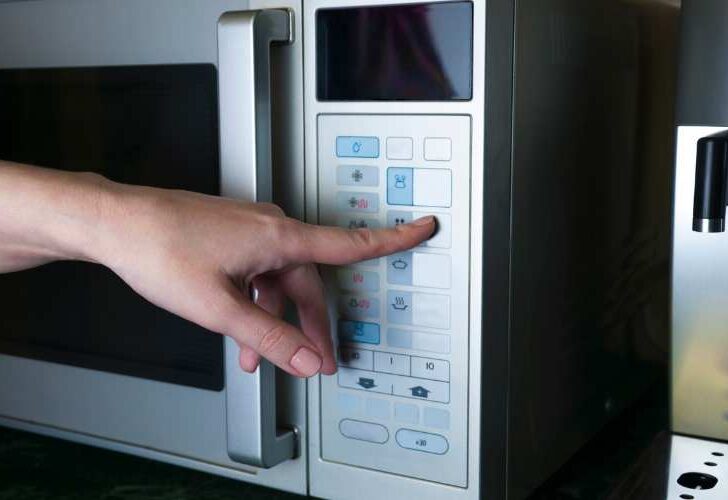
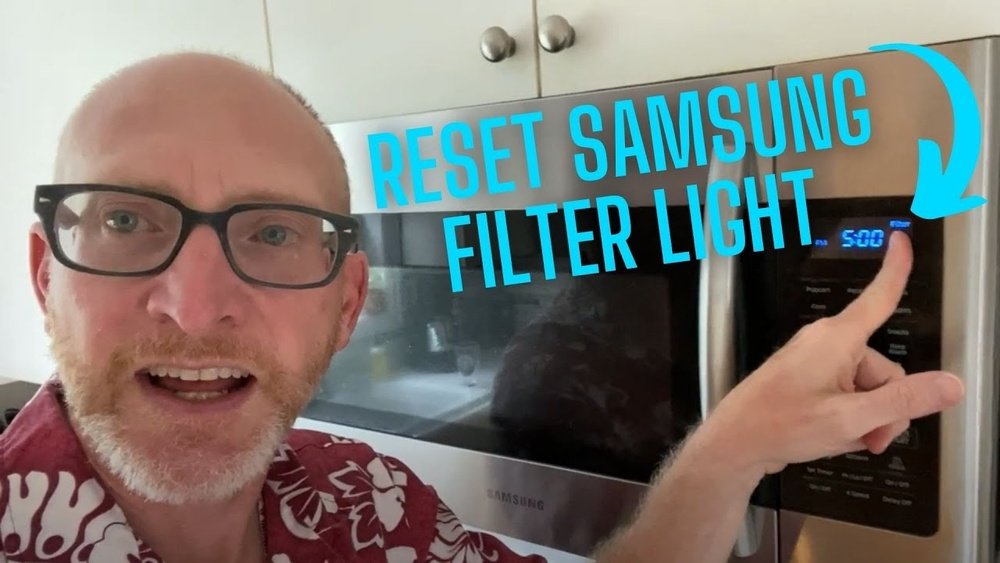
5. Reset the reminder
Common reset methods include:
- Pressing and holding Reset Filter
- Holding Stop/Clear
- Holding a Filter or Vent button
- Holding Cancel for several seconds
- Opening a settings menu and selecting the filter option
The required hold time may vary. Some models use a few seconds, while others require a menu selection.
6. Confirm that the message cleared
The reminder should disappear or the indicator light should turn off. If it does not, repeat the exact button sequence from the manual.
If the message returns right away, the microwave may not have accepted the command, or the model may require a different reset procedure.
What to Do If the Filter Light Will Not Reset
If the microwave still says “reset filter,” check the simple causes first.
The wrong button sequence was used
Microwave controls differ widely. A reset method that works on one model may start another function on a different model.
Find the model number and search the owner’s manual for terms such as:
- Filter reset
- Vent filter
- Charcoal filter
- Clean filter light
- Grease filter
The model number is often printed inside the door, on the oven frame, or on the back or side of the unit.
The button was not held long enough
Some controls respond only when a button is held down. Pressing and releasing it at once may do nothing.
Use the manual’s timing rather than guessing. Avoid repeatedly pressing random buttons because this can activate other settings.
The microwave is in use
Some models will not accept a filter reset while the microwave is cooking, the fan is running, or the clock is being set.
Stop cooking, wait until the fan stops, and try again. If the fan continues after cooking, wait for its cooling cycle to end.
The control panel is locked
A child lock or control lock can prevent the reset. The lock must be turned off using the model-specific instructions.
Do not disable a safety lock if you do not know how to restore it. The manual should explain both steps.


The filter is not installed correctly
Some models detect the filter position with a switch or sensor. If the filter is loose, missing, or installed incorrectly, the reminder may remain active.
Turn off the microwave’s power before checking a filter near the fan or grille. Do not reach into the appliance cabinet.
The message is a service warning, not a filter reminder
Not every message that includes the word “filter” has the same meaning. A code may refer to an internal airflow or cooling system on a specific model.
If the display shows an error code, the fan stops working, the microwave overheats, or the message returns immediately after the correct reset, contact the manufacturer or a qualified appliance technician.

Does Resetting the Filter Make the Microwave Safe to Use?
Resetting the reminder by itself does not prove that the filter is clean or safe. The microwave can usually continue heating food when the filter light is on, but a blocked filter can reduce ventilation performance.
A dirty grease filter may:
- Reduce airflow
- Increase grease buildup near the fan
- Increase cooking odors
- Make the fan louder
- Allow more grease to collect inside the vent system
If your over-the-range microwave vents outdoors, a clogged filter may also place more strain on the fan and duct system.
Do not use the microwave if you notice:
- Smoke from the appliance
- Burning smells from the control panel or fan
- Sparks unrelated to metal cookware
- A fan that will not run when needed
- Repeated overheating or shutdown
- A damaged power cord
- A loose or damaged filter near moving fan parts
Unplug the appliance only if you can do so safely and without touching damaged wiring. For a built-in or hardwired microwave, do not remove electrical covers. Arrange service instead.
How Often Should You Clean or Replace Microwave Filters?
There is no single schedule that fits every microwave. The right interval depends on the model, filter type, cooking habits, and whether the microwave vents indoors or outdoors.
Use this practical approach:
- Inspect the grease filter regularly, especially if you fry food often.
- Clean the metal filter when it looks greasy or airflow drops.
- Replace the charcoal filter according to the owner’s manual or when odor control becomes poor.
- Check the filter after heavy smoke, a grease flare-up, or burned food.
A household that mainly reheats food may need less frequent filter care than one that cooks on a high-heat range every day. The reminder is a useful prompt, but a visual inspection is more useful than the light alone.
Do not wait for the reminder if the filter is visibly coated with grease. The timer may not yet have reached its programmed interval.

Filter Reset vs. Microwave Reset
A filter reset clears the filter maintenance reminder. A microwave reset usually means restoring the appliance after a power interruption or control problem.
These actions are not the same.
| Action | Purpose | What it usually changes |
|---|---|---|
| Filter reset | Clear maintenance reminder | Filter timer or indicator |
| Control reset | Recover from a minor control issue | Temporary electronic state |
| Factory reset | Restore settings on some models | Saved settings and preferences |
Do not perform a factory reset just to remove a filter message. It may erase clock, language, sound, or cooking settings without addressing the real issue.
If the microwave has frozen controls, a power reset may help, but follow the manual. A power reset will not clean or renew a filter.

Common Mistakes to Avoid
Several mistakes can leave the microwave poorly ventilated or damage the filter.
Resetting without checking the filter
This only hides the warning. Inspect the filter first.
Washing a charcoal filter
Most charcoal filters are designed for replacement, not washing. Water can damage the filter material and leave it ineffective.
Using the wrong replacement filter
Filter shapes and sizes can look similar. Use the model number to identify the correct part.
Running without a required filter
The filter protects the fan and ventilation path. Follow the manual if the filter is being cleaned or replaced.
Using harsh cleaners
Strong chemicals, abrasive pads, and rough tools may damage the filter mesh or finish. Mild soap and water are often suitable for metal filters, but the manual controls.
Ignoring poor ventilation
A cleared light does not fix a blocked duct, weak fan motor, stuck damper, or installation problem. If smoke and steam remain in the room, the cause may be outside the filter.
Quick Troubleshooting Guide
Use this table to match the symptom with the next useful check.
| Symptom | Likely cause | Best next step |
|---|---|---|
| Filter light is on | Maintenance timer reached its limit | Inspect, clean, or replace the filter, then reset |
| Light will not clear | Incorrect sequence or control lock | Check the manual and unlock the controls if needed |
| Fan is weak | Dirty filter, blocked duct, or fan problem | Clean the filter and check ventilation |
| Odors remain | Used charcoal filter or poor recirculation | Replace the charcoal filter if required |
| Filter rattles | Loose, damaged, or wrong filter | Reinstall or replace it |
| Message returns immediately | Reset was not accepted or fault exists | Confirm the model procedure and seek service if needed |
| Microwave overheats | Airflow problem or internal fault | Stop using it and arrange qualified service |

Frequently Asked Questions
Can I use the microwave with the filter light on?
Usually, the light is a maintenance reminder rather than an immediate shutdown signal. However, inspect the filter before continued use, especially if the fan is weak, the microwave smells hot, or smoke is not clearing.
Does a filter reset mean I need a new filter?
Not always. A reusable metal grease filter may only need cleaning. A charcoal filter usually needs replacement when its service interval ends, but the exact rule depends on the model.
Why does my microwave say “reset filter” after I already cleaned it?
Cleaning the filter and resetting the reminder are separate steps. The microwave normally will not know that you cleaned the filter, so you must use the model’s reset command.
Can I put a microwave grease filter in the dishwasher?
Some metal filters are dishwasher-safe, but not all manufacturers recommend it. Check the owner’s manual first. Never assume that a charcoal filter is dishwasher-safe.
How do I find the right replacement filter?
Use the microwave’s complete model number, not only the brand name. The model label is commonly inside the door area or on the appliance frame. Confirm the filter type, dimensions, and mounting style before ordering.
What if the microwave has no filter reset button?
Some models reset through the settings menu or by holding another button, such as Stop, Cancel, or Vent. The owner’s manual is the safest source because button functions vary by model.
Final Answer
“Reset filter” on a microwave usually means the filter-care reminder is ready to be cleared. First inspect the filter, then clean the reusable metal filter or replace the charcoal filter if required. Reinstall it correctly and use the reset method listed in the owner’s manual.
If the reminder will not clear, airflow is poor, or the microwave shows other warning signs, do not treat the reset as a repair. Check the model-specific instructions and arrange qualified service when the problem involves the fan, wiring, overheating, or internal parts.

Appliance Review Expert
Lucas Ramirez is a trusted voice at HomeFixGrid.com, known for his clear, practical, and creatively written guides that simplify appliance care for everyday homeowners. With a strong focus on hands-on testing and real-world problem-solving, Lucas brings expert insight into appliance reviews and troubleshooting techniques. Her work empowers readers to confidently maintain, repair, and choose the right appliances for their homes.