How To Set Temperature On GE Profile Fridge: Easy Guide
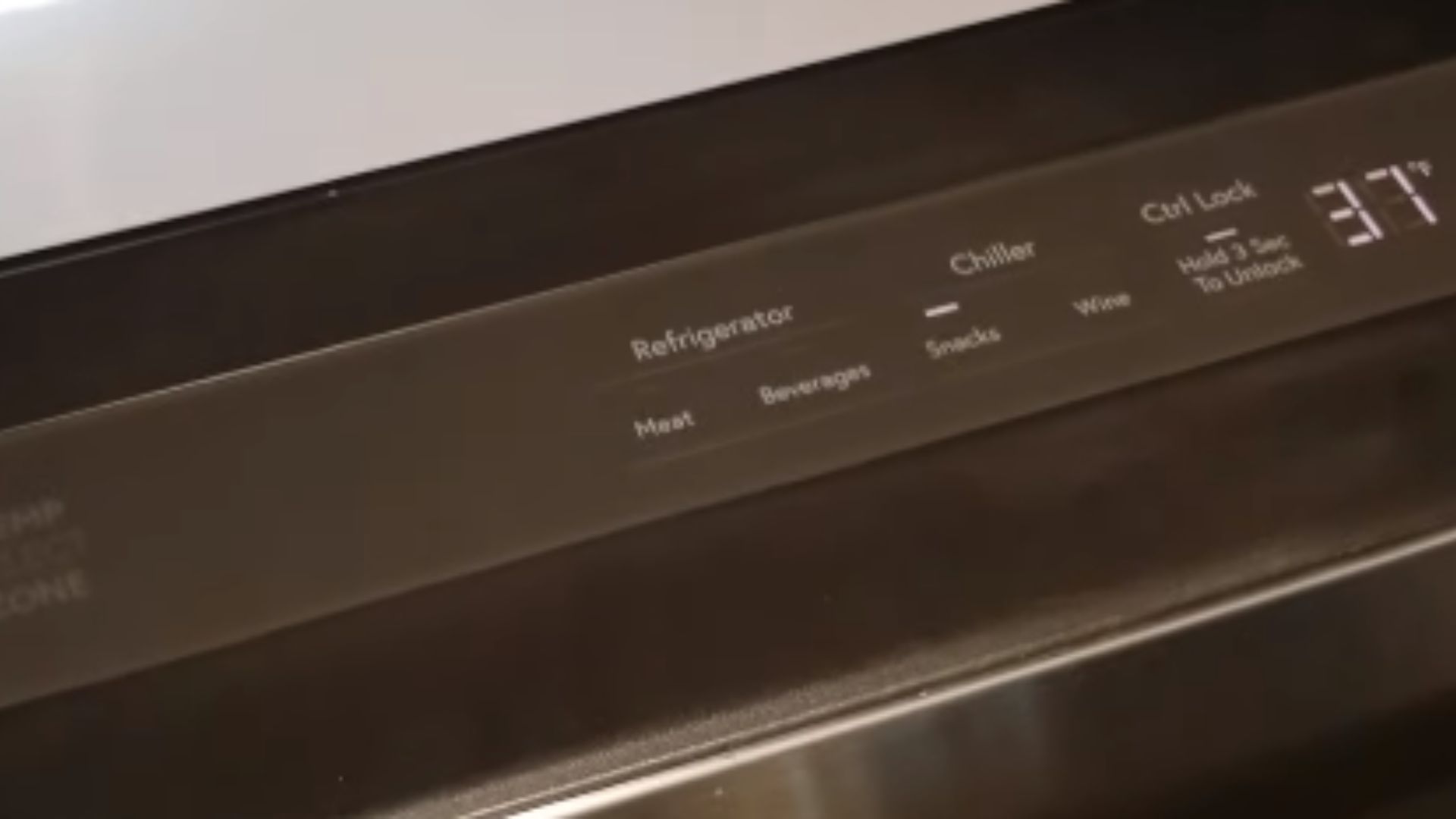
For most GE Profile refrigerators in the United States, set the fresh-food compartment to 37°F and the freezer to 0°F. Use the refrigerator’s control panel to change each setting, then wait about 24 hours for the temperature to settle.
The exact button names vary by GE Profile model. Some units use a touch panel with Refrigerator and Freezer buttons. Older models may use numbered dials. The owner’s manual is the final guide for your specific refrigerator.
Introduction
A GE Profile fridge should keep food cold without freezing fresh items. In a typical U.S. home, the safest target is 40°F or below in the fresh-food section, with 37°F giving a useful buffer. The freezer target is 0°F.
The display shows the selected setting, but it may not show the actual air temperature inside the compartment. An inexpensive appliance thermometer can confirm the real temperature.


Recommended GE Profile Refrigerator Temperature Settings
Start with these settings:
| Compartment | Recommended setting | Food-safety limit |
|---|---|---|
| Fresh-food section | 37°F | 40°F or below |
| Freezer | 0°F | 0°F is the standard target for frozen storage |
The refrigerator setting controls the fresh-food compartment. The freezer setting controls the freezer compartment. They are separate settings, so changing one does not always change the other.
A refrigerator can show a setting of 37°F while the food area is warmer or colder. Door openings, room temperature, food load, blocked air vents, and recent grocery loading can all affect the actual temperature.
Why 37°F and 0°F are good starting points
The U.S. Food and Drug Administration recommends keeping a refrigerator at 40°F or below and a freezer at 0°F. Setting the refrigerator to 37°F leaves some room for normal temperature swings when the door opens.
The freezer may need more time to reach 0°F after a power outage, installation, defrost cycle, or large grocery load. Keep the doors closed as much as possible during that time.

How to Set the Temperature on a GE Profile Fridge With a Touch Panel
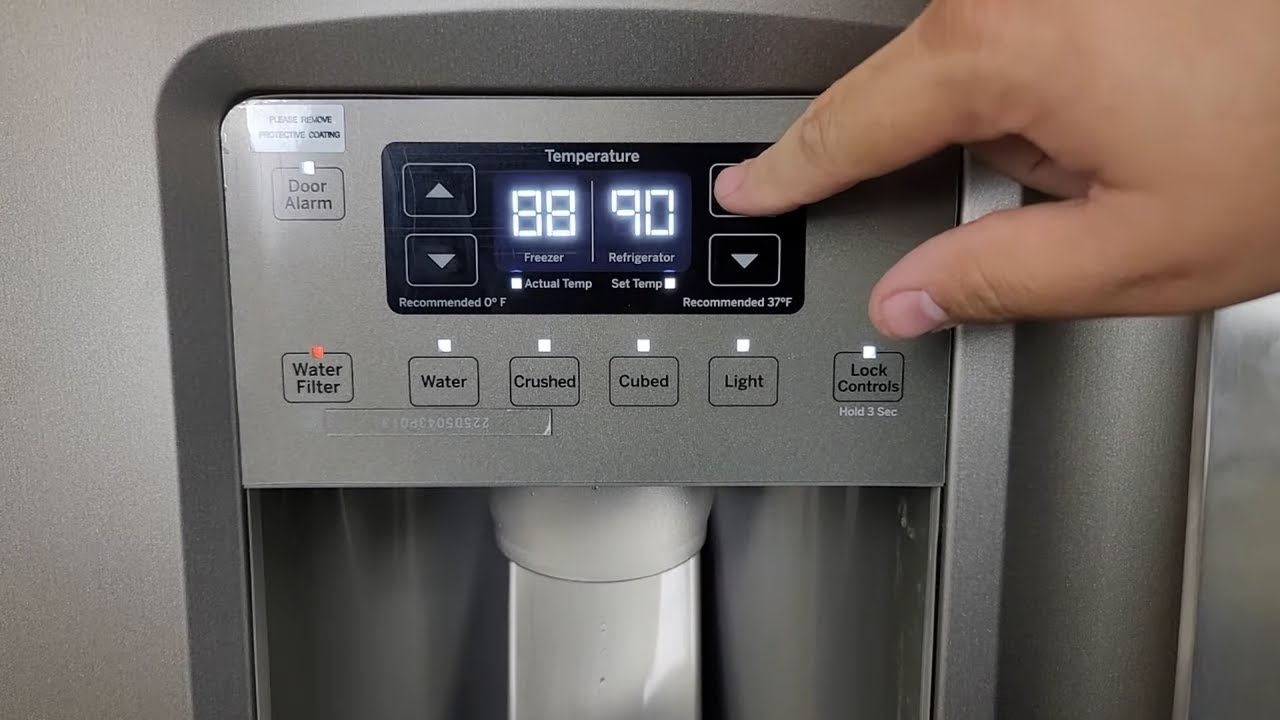
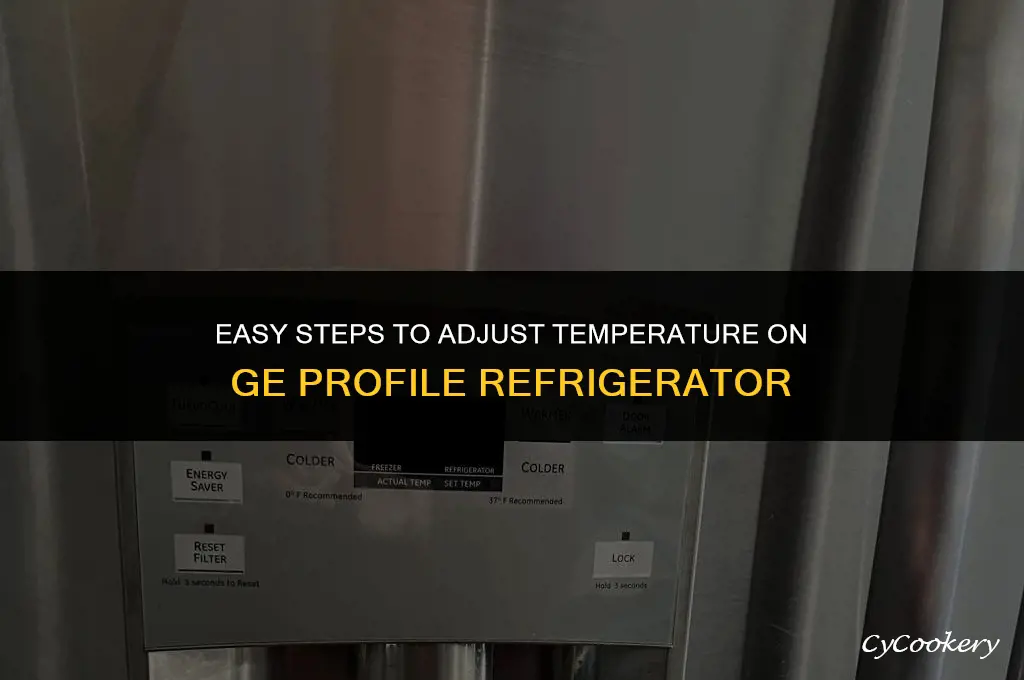
Use the touch panel if your GE Profile refrigerator has electronic temperature controls.
-
Find the control panel.
It may be on the outside of the freezer door, above the water dispenser, or inside the refrigerator compartment. -
Unlock the controls if needed.
Some models have a Control Lock or Lock button. Press and hold it for about three seconds, or follow the instructions shown on the panel. -
Select the refrigerator temperature.
Press Refrigerator, Fridge, or a similar button. The current setting should appear on the display. -
Adjust the temperature.
Press the + or – button until the display shows 37°F. On some models, use arrow buttons instead. -
Select the freezer temperature.
Press Freezer and adjust the setting to 0°F. -
Exit the setting mode.
Some models save the change after a few seconds. Others require you to press Set, Done, or another confirmation button. -
Wait before making another change.
Let the refrigerator run for about 24 hours before judging the result.


If the panel uses one button for both compartments, press the button labeled Refrigerator or Freezer first. Then use the arrow, plus, or minus buttons to change that compartment.
If the panel does not respond
Check for these common causes:
- The control lock is active.
- The refrigerator is in Sabbath mode.
- The display is in a sleep mode.
- The refrigerator has lost power.
- A button must be held down rather than tapped.
- The model uses a different control sequence.
Do not repeatedly press every button at random. Find the model number and use the matching GE owner’s manual. The model tag is often inside the fresh-food section, near the top or side wall.
How to Set a GE Profile Fridge With Numbered Dials
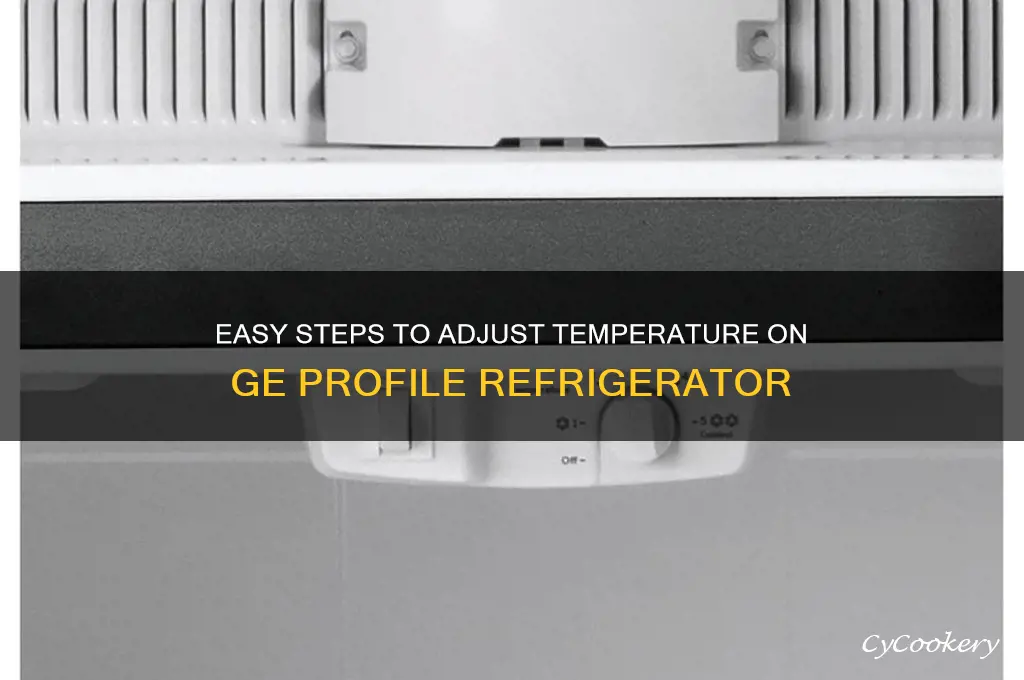
Some GE Profile refrigerators use mechanical dials instead of a digital screen. These dials often use numbers such as 1 through 9.
On many models:
- A lower number means warmer.
- A higher number means colder.
- A middle setting, often around 5, is a reasonable starting point.
This numbering system is not universal. Look for markings near the dial or check the manual before assuming that “9” means the coldest setting.
To adjust a dial:
- Turn the refrigerator control one step at a time.
- If the fresh-food section is too warm, move the control toward a colder setting.
- If food is freezing, move the control toward a warmer setting.
- Wait about 24 hours after each change.
- Check the actual temperature with an appliance thermometer.
Avoid turning the dial from one extreme to the other. Large changes make it harder to identify the setting that works for your kitchen.
How to Check Whether the Temperature Is Correct
Use an appliance thermometer to measure the real temperature. The number on the GE Profile display may be a target setting, not a live reading.


Check the refrigerator compartment
Place the thermometer in a glass of water on a middle shelf. Leave it in place for several hours, or overnight, before reading it. Water helps reduce the effect of a brief warm period when the door opens.
The fresh-food compartment should stay at 40°F or below. A reading near 37°F is a useful target.
Do not place the thermometer:
- In the door
- Directly against the rear wall
- Beside an air vent
- In a drawer with a special temperature setting
These spots may not represent the average temperature of the refrigerator.
Check the freezer
Place the thermometer between frozen food packages. Wait several hours before checking it.
The freezer should be near 0°F. A small difference may occur during normal operation, but a freezer that remains well above 0°F may have a cooling, airflow, door-seal, or defrost problem.
What to Do if Your GE Profile Fridge Is Too Warm or Too Cold
Change the setting only after checking the simple causes. Temperature problems often come from airflow or door use rather than a failed control.
If the refrigerator is too warm
Check these items in order:
-
Confirm the setting.
Set the refrigerator to 37°F and the freezer to 0°F. -
Wait 24 hours.
A new setting does not cool the compartment at once. -
Check that the doors close fully.
Large containers, shelves, or food packages can stop a door from sealing. -
Inspect the door gasket.
Look for gaps, damage, or food residue. Clean the gasket with mild soap and water. -
Keep air vents clear.
Do not pack food tightly against vents on the rear wall or between compartments. -
Check the condenser area if your model allows it.
Dust can restrict airflow on some refrigerators. Unplug the refrigerator before cleaning areas that require access near electrical parts, and follow the owner’s manual. -
Check for cooling or demo mode.
Some refrigerators can show lights and respond to controls without actively cooling. -
Check the room conditions.
Extreme heat, poor clearance, or direct sunlight can reduce cooling performance.


Food that has been above 40°F for more than two hours may not be safe to eat. If the room is above 90°F, the time limit is shorter. When in doubt, follow current FDA food-safety guidance and discard questionable perishable food.
If the refrigerator is too cold
Try these steps:
- Raise the refrigerator setting by 1°F or one dial mark.
- Move delicate foods away from the rear wall and air vents.
- Check whether the fresh-food section is set near its coldest level.
- Make sure the damper or air passage is not blocked.
- Check whether a drawer or special mode is set for extra-cold storage.
- Wait 24 hours before making another adjustment.
Leafy greens, milk, and other foods can freeze when placed directly in the path of cold air from the freezer.

Common GE Profile Temperature Problems
The display says 37°F, but food is warm
The display may show the selected temperature rather than the measured air temperature. Confirm the temperature with a thermometer.
If the actual temperature remains high after 24 hours, inspect the door seal, vents, cooling mode, and room clearance. If those checks do not help, the refrigerator may need service.
The refrigerator setting keeps changing
A setting can change when someone presses the control panel, when the controls are unlocked, or when a reset occurs after a power interruption. Lock the controls if your model supports that feature.
If the setting changes by itself without button contact, record the model number and contact GE Appliances support or a qualified appliance technician.
The freezer is cold, but the refrigerator is warm
This pattern can point to an airflow problem. The refrigerator compartment often receives cold air from the freezer through vents and a damper.
Check for:
- Blocked vents
- Frost covering the rear freezer wall
- A door that does not seal
- A fan that does not run
- A refrigerator set too warm
- A defrost problem
Heavy frost or a fan that makes unusual noise requires more than a temperature adjustment. Unplug the appliance only when the manual allows it and when doing so will not create a food-safety problem. Arrange service if the issue returns.
The refrigerator is making noise after a temperature change
Fans and the compressor may run longer after you select a colder setting. Some humming, clicking, or airflow noise can be normal.
A loud grinding sound, repeated clicking without cooling, burning odor, or signs of electrical damage is not a normal temperature-setting issue. Disconnect power if it is safe to do so and seek qualified service.

GE Profile Temperature Settings: Common Mistakes to Avoid
Avoid these mistakes when setting the temperature:
- Changing the setting several times in one hour. The refrigerator needs time to respond.
- Using the door temperature as the main reading. Door storage warms faster than the middle shelf.
- Blocking interior vents. This can create warm and cold zones.
- Packing the refrigerator completely full. Cold air needs room to move.
- Leaving the door open while loading food. This adds heat and moisture.
- Putting hot food directly into the refrigerator. Let large amounts of food cool safely before storage, but do not leave perishable food at room temperature for long.
- Assuming every GE dial uses the same scale. Check the model instructions.
- Relying only on the display. Use a thermometer to confirm the actual temperature.
- Setting the refrigerator very cold to cool drinks faster. This can freeze food near the vents without solving a cooling problem.
The goal is stable cooling, not the lowest possible number.

When to Call for GE Profile Refrigerator Service
Contact GE Appliances support or a qualified appliance technician when:
- The refrigerator stays above 40°F after basic checks.
- The freezer cannot reach 0°F.
- The temperature rises again after a reset.
- The compressor runs constantly without reaching the target.
- Frost covers much of the freezer’s rear wall.
- The evaporator or circulation fan does not run.
- The door gasket is torn or will not seal.
- The refrigerator displays a fault code.
- You smell burning or see damaged wiring.
- The appliance trips a circuit breaker.
Do not remove sealed refrigeration-system parts or attempt refrigerant work yourself. Those repairs require the right tools and training.
Before calling, write down the model number, the displayed setting, the thermometer reading, and how long the problem has been present. This information can make diagnosis faster.

How Long Does a GE Profile Fridge Take to Reach the New Temperature?
A GE Profile refrigerator commonly needs about 24 hours to stabilize after a temperature change. A new installation, large grocery load, power outage, or long-open door may require more time.
Keep the doors closed during the cooling period. If the refrigerator remains too warm after a full day, check the seal, vents, cooling mode, and thermometer before lowering the setting again.
Can You Set the Refrigerator and Freezer to Different Temperatures?
Yes. The refrigerator and freezer normally have separate controls. A common setup is 37°F for the fresh-food section and 0°F for the freezer.
Changing the freezer setting may affect how much cold air is available to the refrigerator on some designs, but the controls still serve different compartments. Make one change at a time and check both compartments after 24 hours.
Why Is My GE Profile Refrigerator Freezing Food at 37°F?
A setting of 37°F does not guarantee that every spot inside the refrigerator is 37°F. Food can freeze near a rear vent, on the back wall, or beside a cold-air outlet.
Move the food to the center of a shelf, clear the vents, and raise the refrigerator setting by 1°F if needed. If multiple areas freeze food, check for a damper, sensor, or control problem.
Does TurboCool Change the Normal Temperature Setting?
TurboCool is a temporary cooling feature on some GE Profile models. It is designed to cool the refrigerator compartment more quickly after frequent door openings or a large grocery load.
It is not a replacement for the normal refrigerator temperature setting. Once the temporary cycle ends, the refrigerator returns to its regular control setting. The exact duration and activation method depend on the model.
What Should I Do After a Power Outage?
Keep the refrigerator and freezer doors closed as much as possible. A closed refrigerator can stay cold for a limited period, but the actual time depends on the room, food load, and door openings.
Check the food temperature with a thermometer when power returns. Follow FDA guidance for discarding perishable food that has been above safe temperatures for too long. Do not taste food to decide whether it is safe.
Sources and Model-Specific Guidance
The key temperature targets in this guide are based on U.S. food-safety guidance from the U.S. Food and Drug Administration. Button sequences, dial ranges, control-lock steps, and special modes are model-specific and should be confirmed in the official GE Appliances owner’s manual for your refrigerator.
Useful official resources include:

Conclusion
Set most GE Profile refrigerators to 37°F and the freezer to 0°F. Use the control panel or dial that matches your model, then wait about 24 hours.
Confirm the real temperature with an appliance thermometer. If the refrigerator stays above 40°F, food freezes in several areas, or the freezer cannot reach 0°F, check airflow and door seals before arranging qualified service.

Appliance Review Expert
Lucas Ramirez is a trusted voice at HomeFixGrid.com, known for his clear, practical, and creatively written guides that simplify appliance care for everyday homeowners. With a strong focus on hands-on testing and real-world problem-solving, Lucas brings expert insight into appliance reviews and troubleshooting techniques. Her work empowers readers to confidently maintain, repair, and choose the right appliances for their homes.