
How To Unlock Advantium Microwave: Easy Fix
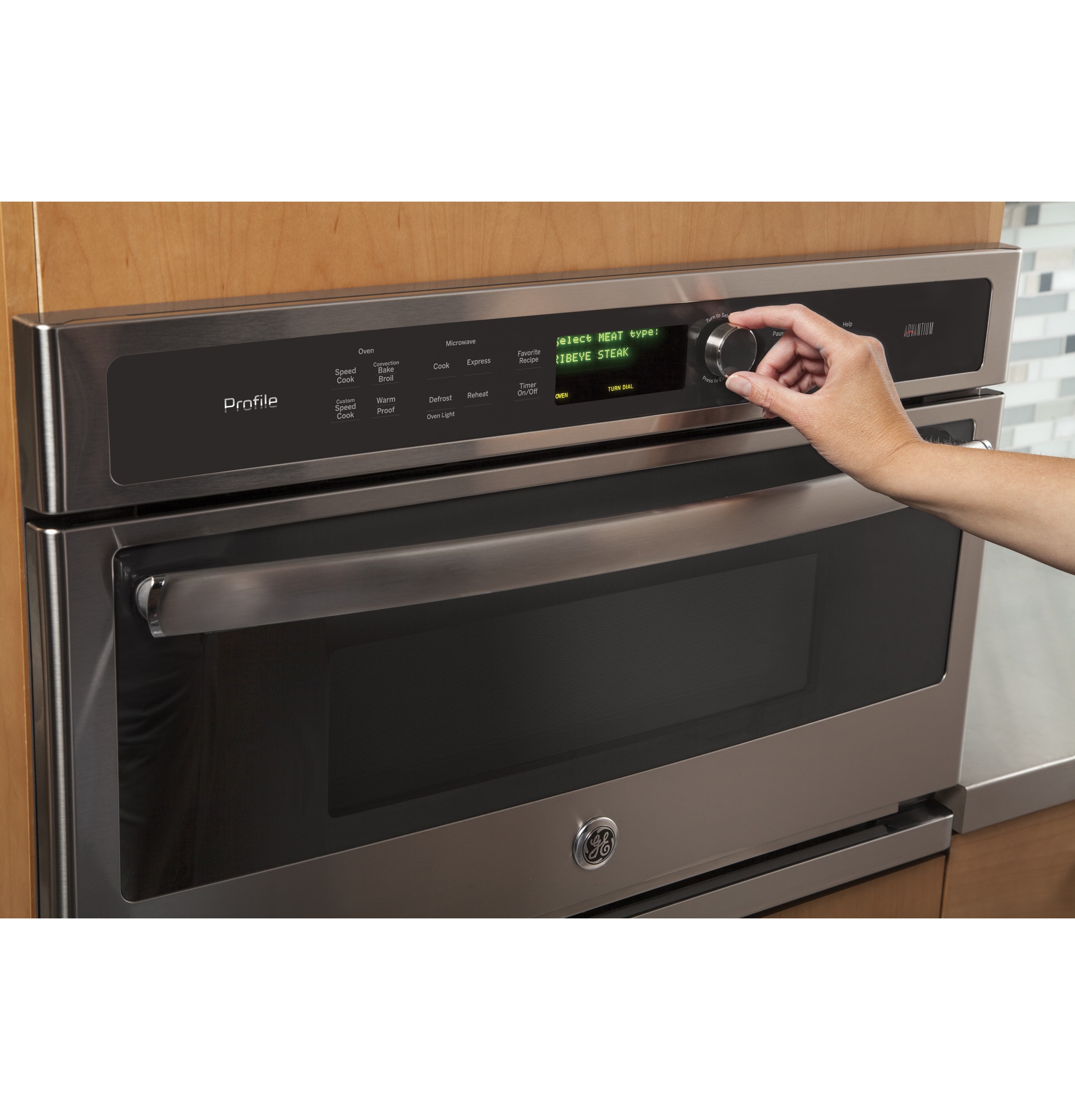
If your GE advantium microwave shows “LOC,” “LOCKED,” or a lock icon, the control lock is likely on. To unlock it, press and hold the CLEAR/OFF pad for about 3 seconds. The lock message or icon should disappear, and the keypad should work again.
The exact button name can vary by Advantium model. If your oven does not respond, check the model-specific owner’s manual before trying other steps.
Before You Start: Identify the Type of Lock
An Advantium microwave can seem “locked” for more than one reason. The most common cause is the control lockout, which prevents unwanted use. A door that will not open may have a different cause.
| What you see or feel | Most likely cause | First action |
|---|---|---|
| “LOC,” “LOCKED,” or a lock icon | Control lockout is active | Hold CLEAR/OFF for 3 seconds |
| Keypad beeps but will not start | Control lockout or an active cooking cycle | Cancel the cycle, then unlock the controls |
| Door will not open during cooking | Normal safety latch operation | Press CLEAR/OFF and wait briefly |
| Display is blank | Power problem or tripped breaker | Check power at the outlet or breaker |
| Controls do not respond at all | Temporary electronic fault | Try a safe power reset |
The control lock is not the same as a locked cooking chamber. The lockout disables the touch pads, while the door latch protects you from microwave energy and hot food.


How to Unlock a GE Advantium Microwave
Use these steps for most GE Advantium 120 and Advantium 240 models with a CLEAR/OFF pad.
-
Make sure the oven is not actively cooking.
If a cooking cycle is running, pressCLEAR/OFFonce to stop it. Wait until the fan and turntable stop. -
Find the
CLEAR/OFFpad.
It is usually on the right side or lower area of the control panel. -
Press and hold
CLEAR/OFF.
Keep holding the pad for about 3 seconds. Do not tap it briefly. -
Watch the display.
The “LOC,” “LOCKED,” or lock symbol should disappear. Some models may beep when the control lock turns off. -
Test one simple function.
Enter a short cooking time or press a basic cooking option. Stop the test if the oven begins operating unexpectedly.
On many Advantium models, the same procedure turns the control lock back on. Holding CLEAR/OFF again for about 3 seconds should restore the lockout.
If the lock does not turn off
Try the following checks in order:
- Hold the pad for a full 3 seconds rather than pressing it once.
- Press the center of the
CLEAR/OFFpad firmly. - Remove any moisture or grease from the control panel.
- Confirm that the display is not showing an active cooking cycle.
- Open and close the door once, then repeat the unlock step.
- Check the owner’s manual for your exact model number.
The model number is often found on a label inside the oven door area, along the left or right side of the cavity, or on the product frame.


What to Do When the Advantium Door Will Not Open
Do not pull hard on the door. A door that stays shut during a cooking cycle is usually operating as designed.
First, press CLEAR/OFF once. Wait several seconds for the cooking cycle, fan, and turntable to stop. Then try the door handle normally.
If the oven has just finished cooking, steam and heat may still be present. Open the door carefully and keep your face and hands away from escaping steam. Use oven mitts when removing hot dishes.
The door remains closed after you cancel cooking
If the door still will not open:
- Press
CLEAR/OFFagain. - Wait at least one minute.
- Check whether the display shows a fault message.
- If the oven is hot, allow it to cool.
- Disconnect power only if you can do so safely by unplugging the unit or switching off its breaker.
- Leave the oven without power for several minutes, then restore power.
Never pry the door open, insert tools into the latch, or remove the outer cabinet. Microwave ovens contain high-voltage parts that can remain dangerous even after the power is disconnected.
If the door will not open after a safe power reset, contact GE Appliances support or a qualified appliance technician.
How to Reset an Advantium Microwave That Is Frozen
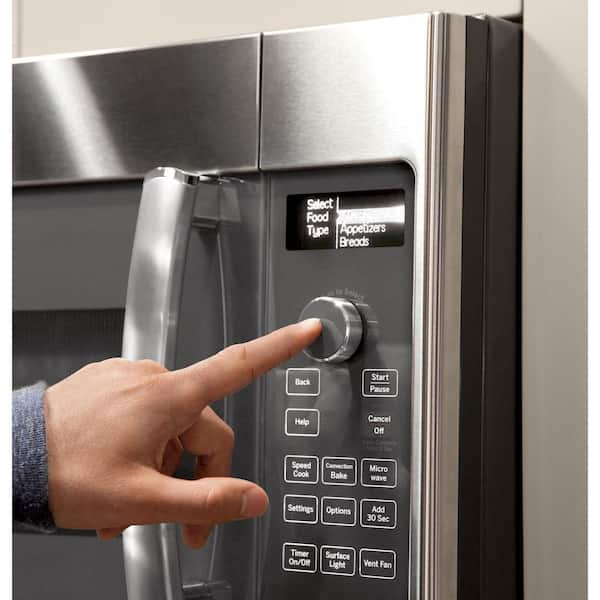
A power reset may help when the display is stuck or the keypad does not respond. It will not repair a broken keypad, damaged door latch, or internal electrical fault.
Safe reset procedure
- Press
CLEAR/OFFonce. - Unplug the microwave if it uses a standard accessible plug.
- Wait about 2 to 5 minutes.
- Plug it back in.
- Set the clock if the display asks you to do so.
- Try the control-lock procedure again.
For a built-in Advantium oven, the power cord may not be easy to reach. If you need to use the circuit breaker, turn off the correct breaker only if you can identify it safely. Do not remove panels or work inside the appliance.
A reset may clear a temporary control error, but repeated failure points to a service issue.

Common Advantium Unlock Problems
The display says “LOC,” but holding the button does nothing
The control may not be registering the touch. Clean and dry the panel, then press the middle of CLEAR/OFF for a full 3 seconds. Avoid wearing gloves or using an object to press the pad.
If other pads also fail, the touch panel or control board may need service.
The oven beeps but stays locked
A beep means the control may have detected the button press, but the lock command may not have completed. Hold the button continuously rather than tapping it several times.
Some models use different control-lock instructions. Check the manual for the model number printed on your oven.


The microwave runs, but the door will not open
Press CLEAR/OFF and wait for the cycle to end. Do not force the latch while the oven is operating or while the fan is still running.
If the door remains stuck after the oven stops and cools, stop using the appliance and arrange service.
The display is completely blank
A blank display usually indicates a power problem rather than a control lock. Check:
- The circuit breaker
- The kitchen outlet, if accessible
- Whether another appliance works at the same outlet
- Whether the oven lights or fan work
Do not repeatedly reset a breaker that trips again. A recurring trip can indicate an electrical fault that requires qualified service.
The controls work, but the oven will not start
Make sure the door is fully closed. Advantium ovens use door switches as part of their safety system. The oven may not start if the latch is misaligned, the door is obstructed, or a door switch has failed.

Control Lock Versus Child Safety
The Advantium control lock is designed to prevent unintended keypad input. It does not make the appliance safe for unsupervised children, and it does not remove heat, steam, or other cooking hazards.
Keep children away from the oven during and after cooking. Hot food, cookware, racks, and interior surfaces can cause burns even when the microwave function has ended.
The lock also does not replace safe food handling. Use suitable cookware, follow the cooking instructions for your model, and allow food to stand when the recipe calls for it.
When to Stop Troubleshooting
Stop using the Advantium and request service if you notice any of these conditions:
- The door, hinges, or latch is bent or damaged.
- The door does not close firmly.
- The oven operates with the door open.
- The display repeatedly shows an error code.
- The breaker trips when the oven runs.
- You smell burning plastic or see smoke.
- The keypad activates functions without being touched.
- The oven remains locked after a safe reset.
Never operate a microwave with a damaged door or altered safety interlock. Do not remove the cabinet to reach the latch or control board. A qualified technician should inspect those parts.

Quick Answer
To unlock most GE Advantium microwaves, press and hold the CLEAR/OFF button for about 3 seconds until the lock message or icon disappears. If the door itself will not open, cancel the cooking cycle and wait. Do not force the door.
FAQs
How do I lock an Advantium microwave again?
Press and hold CLEAR/OFF for about 3 seconds after the controls are unlocked. The display may show “LOC,” “LOCKED,” or a lock symbol. The exact response depends on the model.


Why does my Advantium say “LOC”?
“LOC” usually means the control lockout is active. Hold CLEAR/OFF for about 3 seconds to turn it off.
Can I unlock the microwave by unplugging it?
A power reset may clear a temporary control problem, but it may not disable the control lock on every model. Try the CLEAR/OFF procedure first. Unplug the unit only when you can do so safely.
What if my Advantium has no CLEAR/OFF button?
Look for a button labeled OFF, CANCEL, or a similar function. Because control layouts differ, use the manual for the exact model number rather than guessing.
How can I find the correct Advantium manual?
Find the model number on the oven frame or inside the door area, then search the official GE Appliances support site for that model. The manual will show the correct control-lock procedure and explain any model-specific messages.
Final Recommendation
Start with the standard fix: press and hold CLEAR/OFF for 3 seconds. If the lock remains, confirm the model number and consult its manual. If the problem involves a stuck door, damaged latch, smoke, repeated breaker trips, or a door that does not close correctly, stop using the Advantium and arrange qualified service.

Appliance Review Expert
Lucas Ramirez is a trusted voice at HomeFixGrid.com, known for his clear, practical, and creatively written guides that simplify appliance care for everyday homeowners. With a strong focus on hands-on testing and real-world problem-solving, Lucas brings expert insight into appliance reviews and troubleshooting techniques. Her work empowers readers to confidently maintain, repair, and choose the right appliances for their homes.