What Does SE Mean On A Microwave: Meaning Explained
Introduction
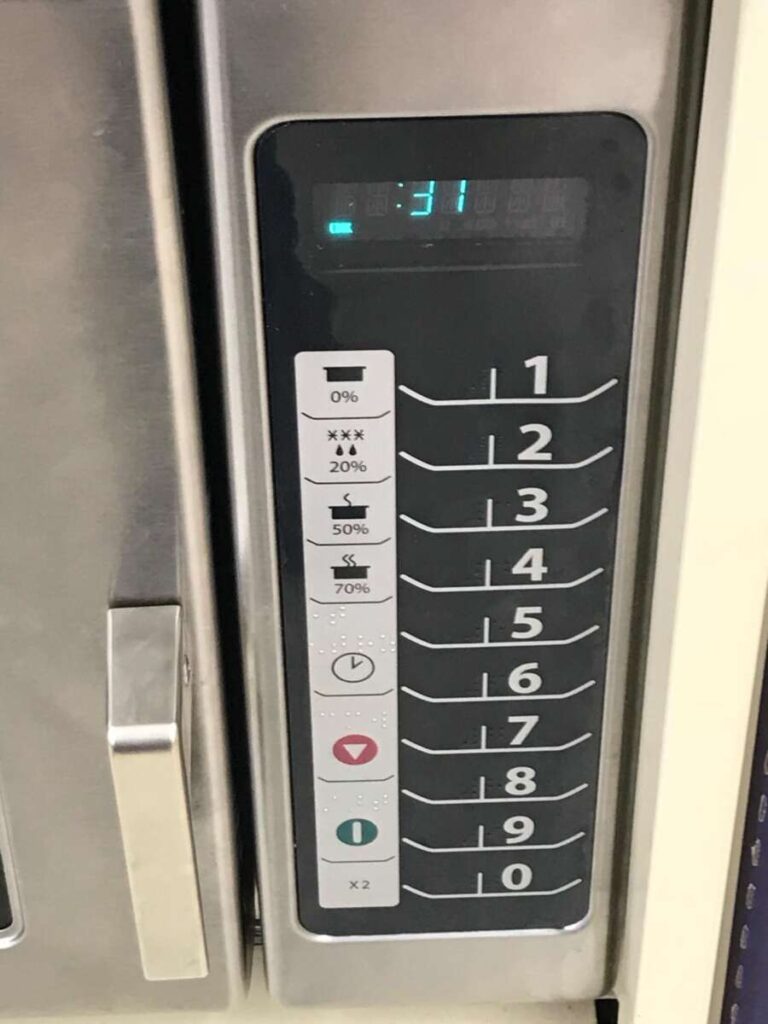
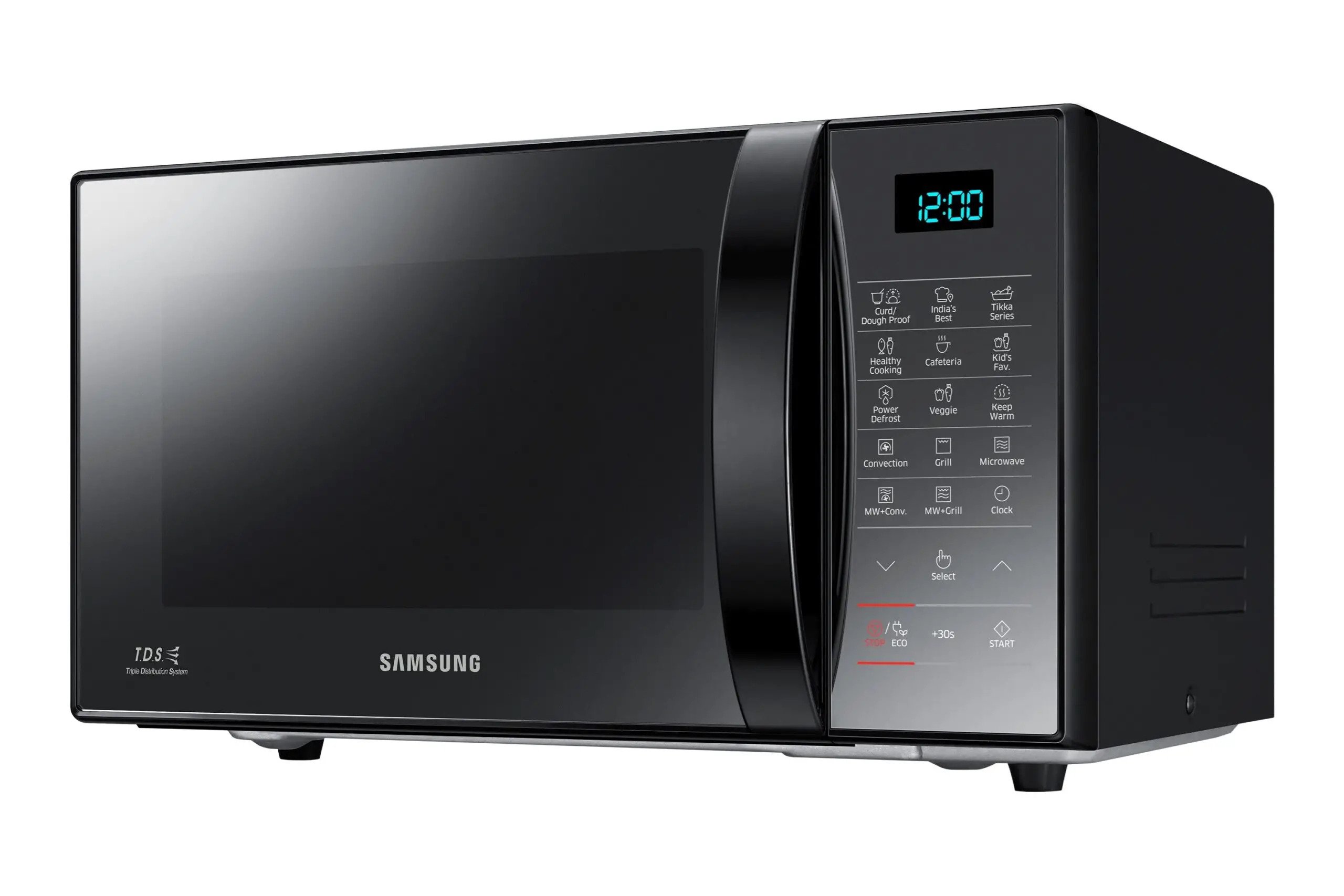
On many Samsung microwaves sold in the United States, “SE” means a keypad or touchpad error. The microwave may detect a stuck, shorted, or faulty key. In some models, the code can also point to a problem with the control panel or the cable that connects it to the main control board.
However, “SE” is not a universal microwave code. The meaning can change by brand and model. If your microwave is not a Samsung model, check the owner’s manual or the support page for that exact model before assuming what the code means.

What Does SE Mean on a Samsung Microwave?
For many Samsung microwave models, SE indicates a shorted or stuck key on the control panel. The microwave may beep, ignore commands, or show the code as soon as you press a button.


“SE” does not usually mean that the microwave is overheating or that the food inside caused the problem. It is more often linked to the user interface, such as:
- A key that is stuck
- Grease, food, or moisture under the keypad
- A damaged touchpad
- A loose control-panel connection
- A failed control board
- A temporary electronic fault
The exact meaning can vary between countertop, over-the-range, and built-in models. The model number matters more than the microwave’s general appearance.
Why a stuck key can trigger SE
A microwave keypad sends signals to the control board. If one key sends a constant signal, the microwave may treat that signal as a fault. This is similar to holding down a computer key and causing repeated or unwanted input.
A spill, heavy cleaning spray, steam, or normal wear can affect the keypad. Touch controls may be especially sensitive to moisture.
Is SE the same as “sensor error”?
Not always. Some brands use codes that look similar but refer to sensors, ventilation, or other systems. A microwave may show letters that are hard to read on a small display, so confirm the code carefully.
If the display shows something like SE, 5E, or another similar combination, compare it with the exact code listed in your manual.

How to Fix an SE Error on a Microwave
Try the following steps in order. Start with the safest and simplest checks. Do not remove the microwave’s outer cover.
1. Stop the microwave
Press Cancel, Stop, or Clear. If the microwave is running, wait until the cooking cycle ends or stops.
If the microwave smells burnt, produces smoke, sparks, or makes a loud electrical sound, unplug it if you can do so safely. Do not keep using it until the cause is checked.
2. Unplug the microwave
Disconnect the microwave from power for about 60 seconds. This lets the control system reset.


For an over-the-range microwave, the plug may be inside the cabinet above the unit. If you cannot reach it safely, switch off the correct circuit breaker instead. Do not work near exposed wiring.
After one minute, restore power and check the display.
3. Clean and dry the keypad
Use a soft, lightly damp cloth to wipe the control panel. Then dry it with a clean cloth.
Avoid:
- Spraying cleaner directly on the keypad
- Pouring liquid near the buttons
- Using abrasive pads
- Scraping the panel
- Pressing hard on a touch screen
- Running the microwave while moisture remains around the controls
If the panel recently became wet, leave the microwave unplugged until the surface is fully dry.
4. Check for a stuck button
Press each button once with light, even pressure. Look for a key that:
- Feels pressed in
- Does not spring back
- Feels different from the other keys
- Activates without being touched
- Beeps repeatedly
- Has damage around its edge
Do not force a stuck key. Excess pressure may damage the membrane or touch panel.
5. Restore power and test a simple function
After cleaning and drying the panel, plug the microwave back in. Set a short heating time with a microwave-safe cup of water.
Stop the test if the SE code returns, the keypad acts by itself, or the microwave behaves in an unusual way.
6. Check the model-specific manual
Find the model number on the inside door frame, control panel area, or back of the microwave. Search the manufacturer’s U.S. support site using the full model number and the phrase SE error.
The manual may list a different meaning or a brand-specific reset process.

SE Error Troubleshooting Table
The pattern of the error can help show whether the problem is temporary or likely needs service.
| What happens | Likely cause | Safe next step |
|---|---|---|
| SE appears once and disappears after unplugging | Temporary control fault | Continue to monitor the microwave |
| SE returns after every reset | Keypad or control-panel fault | Contact the manufacturer or a qualified technician |
| One key feels stuck | Damaged or contaminated key | Clean and dry the panel; do not force the key |
| The panel beeps by itself | Moisture, shorted key, or failed touchpad | Unplug the unit and arrange service |
| The microwave runs but buttons do not work | Control-panel problem | Stop using it until the fault is assessed |
| The display is blank after the reset | Power, fuse, or control issue | Check the breaker; seek service if power is present |
| Sparks or smoke occur | Metal, damage, or electrical fault | Stop use immediately and disconnect power if safe |
A reset can clear a temporary error, but it cannot repair a worn keypad or failed control board. If the code comes back, repeated resets are unlikely to solve the underlying problem.


Can You Keep Using a Microwave That Shows SE?
Do not keep using the microwave if the SE code remains or keeps returning. A faulty keypad may send unintended commands. The microwave could also fail to respond correctly to Stop or Cancel.
Unplug the microwave and arrange help if:
- The error returns after one reset
- The controls activate without being touched
- The microwave starts when you did not press Start
- Stop or Cancel does not work
- The display flickers
- You smell burning plastic or electronics
- The unit sparks, smokes, or trips the breaker
A microwave contains high-voltage parts. Some components can hold a dangerous electrical charge even after the appliance is unplugged. Do not open the cabinet or try to replace an internal fuse unless you are trained and qualified to service microwave ovens.
For a built-in or over-the-range model, a qualified appliance technician is the safest choice. The microwave may also be connected to a wall circuit that requires extra care.

How Much Does an SE Error Repair Cost?
The cost depends on the failed part, the microwave type, and local labor rates in the United States. A simple cleaning or reset may cost nothing. A keypad, control panel, or electronic control board can cost much more.
Before approving a repair, compare:
- The technician’s diagnostic fee
- The replacement part price
- Labor
- The microwave’s age
- The cost of a comparable replacement
- Whether the repair includes a warranty
A keypad problem may be worth repairing on a newer built-in or over-the-range microwave. On an older countertop model, replacement may be more practical if the repair approaches the price of a new unit.
Do not buy a control board based only on the letters “SE.” Confirm the exact model number and failed component first. Similar-looking microwave models can use different control boards.

What If the Microwave Is Not a Samsung?
If your microwave is made by another brand, do not assume SE means a keypad error. Error codes are not standardized across microwave manufacturers.
The code may refer to a control fault, sensor problem, communication issue, or another condition. Use this process:
- Find the full model number.
- Confirm whether the display says SE or 5E.
- Read the error-code section of the manual.
- Check the manufacturer’s U.S. support page.
- Follow only the reset steps listed for that model.
- Stop using the microwave if the code returns or the appliance behaves unsafely.
The model number is often printed on a label inside the door opening. On an over-the-range microwave, it may also appear inside the upper cabinet or on the back of the unit.

Common Mistakes to Avoid
Do not confuse SE with a cooking setting
“SE” is usually an error message when it appears unexpectedly. It is not normally a standard cooking mode. Some displays can show short labels, so confirm the meaning in the manual.


Do not spray cleaner on the controls
Liquid can move behind the keypad and cause more faults. Spray cleaner onto a cloth, not directly onto the microwave.
Do not repeatedly reset the appliance
One power reset is reasonable for a temporary electronic fault. Repeated resets will not fix a damaged keypad, shorted control, or failed board.
Do not remove the outer cover
Microwave ovens use high-voltage systems. Even an unplugged unit may contain stored electrical energy. Internal repair should be handled by a qualified professional.
Do not ignore unusual operation
A microwave that starts on its own, ignores the Stop button, sparks, smokes, or trips the breaker should remain disconnected until it is inspected.

Key Takeaways
- On many Samsung microwaves in the United States, SE usually means a keypad or touchpad error.
- The cause may be a stuck key, moisture, contamination, damaged controls, or a control-board fault.
- Unplug the microwave for about 60 seconds, clean and dry the panel, and check for a stuck key.
- If SE returns, stop using the microwave and contact the manufacturer or a qualified appliance technician.
- Other brands may use SE differently, so always check the exact model manual.
- Never open a microwave cabinet unless you are trained to repair high-voltage appliances.
Frequently Asked Questions
Does unplugging a microwave clear an SE error?
It may clear a temporary control fault. Unplug the microwave for about 60 seconds, then restore power. If SE returns, the problem may involve the keypad, control panel, wiring, or control board.
Why does my microwave show SE after cleaning?
Moisture or cleaning fluid may have entered around the keypad. Disconnect power, wipe the panel with a dry cloth, and allow it to dry fully. Do not spray cleaner directly onto the controls.
Can a stuck button cause the SE code?
Yes. On many Samsung models, a stuck or shorted key can trigger SE. Check whether one button feels different or activates without normal pressure.
Will replacing the fuse fix an SE error?
Usually, no. A fuse problem normally causes a loss of power rather than a keypad error. Do not replace a microwave fuse without proper training, because the appliance contains high-voltage components.
Should I replace the microwave if SE keeps coming back?
Not always. A technician can determine whether the keypad, control panel, wiring, or control board has failed. Compare the repair estimate with the microwave’s age, type, and replacement cost.
Conclusion
When a microwave displays SE, the most likely meaning on many Samsung U.S. models is a problem with the keypad or touch controls. Start with a safe power reset, clean and dry the panel, and check for a stuck button.
If the code returns, treat it as a real fault rather than a message to ignore. Use the exact model manual, and seek qualified service instead of opening the microwave yourself.

Appliance Review Expert
Lucas Ramirez is a trusted voice at HomeFixGrid.com, known for his clear, practical, and creatively written guides that simplify appliance care for everyday homeowners. With a strong focus on hands-on testing and real-world problem-solving, Lucas brings expert insight into appliance reviews and troubleshooting techniques. Her work empowers readers to confidently maintain, repair, and choose the right appliances for their homes.