How To Set Temperature On GE Refrigerator: Easy Guide
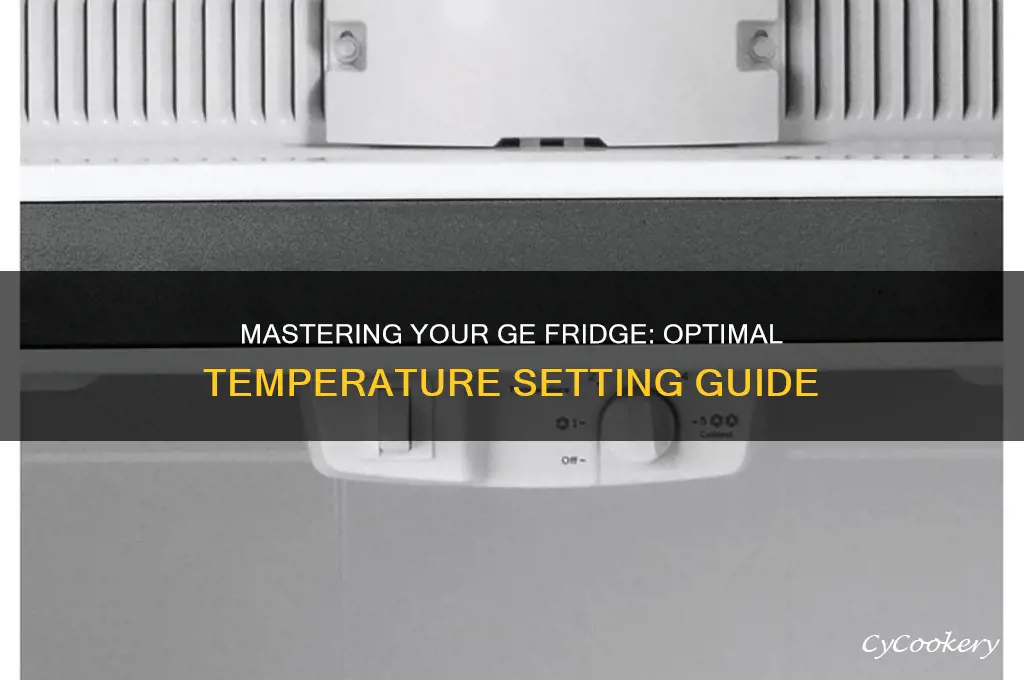
To set the temperature on a GE refrigerator, use the Temperature, Fridge, or Freezer buttons on the control panel. Set the refrigerator section to 37°F and the freezer to 0°F. If your GE refrigerator uses a numbered dial instead of a digital display, turn the dial to a middle setting, then check the actual temperature with an appliance thermometer.
The exact buttons vary by GE model sold in the United States. Some models have controls inside the refrigerator, while others use a display on the door. Always use the owner’s manual for your model if the controls do not match these steps.
Recommended GE refrigerator and freezer temperatures
A refrigerator should stay at 40°F or below, according to the U.S. Food and Drug Administration. A setting of 37°F gives most GE refrigerators a useful safety margin without making the fresh-food section too cold.


Set the freezer to 0°F. This temperature keeps frozen food solid and supports long-term storage.
| Compartment | Recommended setting | Food-safety limit |
|---|---|---|
| Refrigerator | 37°F | 40°F or below |
| Freezer | 0°F | 0°F is the standard target |
The number shown on the control panel is the set point, not always the exact temperature at every shelf. Warm air enters when the door opens, and food placement can create warmer or colder zones. Use a refrigerator thermometer to confirm the real temperature.
How to set the temperature on a digital GE refrigerator
Most newer GE refrigerators use electronic controls. The display may be on the door, above the fresh-food compartment, or inside the refrigerator near the top.
Follow these steps:
- Find the control panel. Look for buttons labeled Temperature, Fridge, Freezer, Refrigerator, or Settings.
- Unlock the controls if needed. Press and hold the Lock button for about three seconds on models with a control lock.
- Select the refrigerator section. Press Fridge or Refrigerator.
- Adjust the temperature. Press the up or down arrows until the display shows 37°F.
- Select the freezer section. Press Freezer.
- Set the freezer to 0°F.
- Wait for the refrigerator to stabilize. Avoid making more changes for about 24 hours unless food is at an unsafe temperature.
- Check the actual temperature. Place an appliance thermometer in the center of the refrigerator and another in the freezer.
Some GE models use a single Temperature button. Each press may move through the refrigerator and freezer settings. Other models use a touchscreen or a menu such as Settings > Temperature.
If the display shows TurboCool or TurboFreeze, those features are not permanent temperature settings. They temporarily increase cooling after a door has been open or after you add a large amount of food.

How to set the temperature on a GE refrigerator with a dial
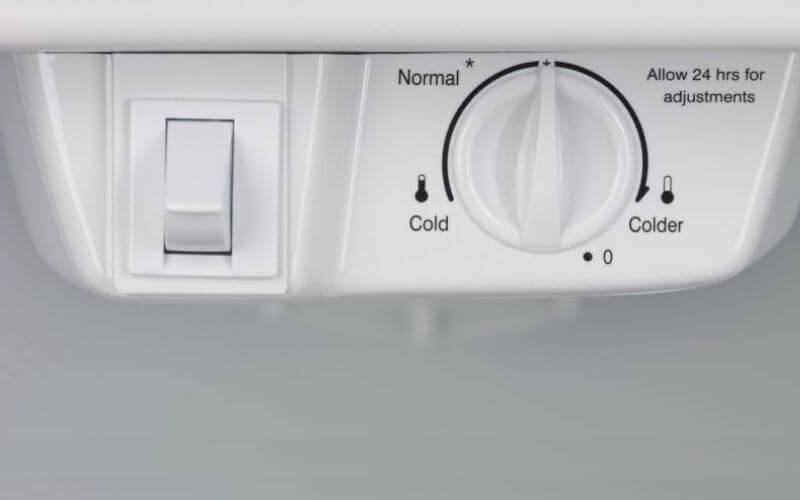
Older GE refrigerators often use one or two numbered dials. These dials usually control cooling strength rather than showing the actual temperature.
In many models:
- A higher number means colder.
- A lower number means warmer.
- The middle setting is a good starting point.
To adjust a dial-controlled GE refrigerator:
- Locate the dial inside the refrigerator compartment.
- Set it near the middle of its range.
- If there are separate refrigerator and freezer dials, adjust the refrigerator dial first.
- Close the door and allow about 24 hours for the temperature to settle.
- Check the temperature with an appliance thermometer.
- Move the dial one step at a time if the temperature is still too warm or too cold.
Do not assume that a setting of “5” means 5°F. On a dial, the number is usually only a control level. The thermometer reading is what matters.


How to make the refrigerator colder or warmer
Change the setting in small steps. Large changes can make the refrigerator overcool, freeze food, or run for long periods.
| Problem | Adjustment to try |
|---|---|
| Refrigerator is too warm | Lower the displayed temperature, or move the dial toward a colder setting |
| Refrigerator is too cold | Raise the displayed temperature, or move the dial toward a warmer setting |
| Freezer is too warm | Set the freezer closer to 0°F or use a colder dial setting |
| Food freezes in the refrigerator | Raise the refrigerator setting and move food away from air vents |
| Temperature changes often | Check door seals, airflow, room temperature, and loading |
After each change, wait for the unit to stabilize. A full refrigerator can take longer to cool than an empty one, but cold air still needs to move freely around the food.
Where to place a refrigerator thermometer
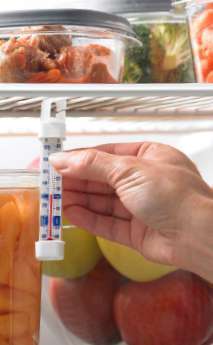
Place the thermometer in the center of the refrigerator compartment, not in the door. The door is often warmer because it is exposed to room air each time it opens.
For a freezer, place the thermometer between frozen items. This helps measure the temperature of the food area rather than a warm pocket of air.
Check the temperature after the door has remained closed for several hours. For a more useful reading, check it at different times of day for one or two days.
The refrigerator is at the right temperature when:
- The center section stays near 37°F.
- The refrigerator remains at or below 40°F.
- The freezer stays near 0°F.
- Food remains cold but does not freeze in the fresh-food section.
- The compressor cycles off from time to time instead of running constantly.

Why a GE refrigerator may still feel warm after adjustment
A temperature change does not cool the refrigerator immediately. The appliance must remove heat from the air, shelves, walls, and food. Give it about 24 hours before deciding that the adjustment failed.
If the temperature remains too warm, check these causes in order:
1. The doors are not sealing
Inspect the gasket around each door. Look for gaps, food stuck in the seal, cracks, or sections that have pulled away from the cabinet.
Close the door on a sheet of paper. If the paper slides out with little resistance, the seal may not be tight. Clean the gasket with mild soap and water, then dry it fully.
2. Food is blocking the air vents
GE refrigerators use vents to move cold air from the freezer into the refrigerator section. Do not pack food against the rear wall or over the vents.
Leave space around the vents so cold air can circulate. Do not cover vents with bags, boxes, or containers.
3. The refrigerator is overloaded
Adding a large amount of warm food can raise the internal temperature. Spread new items out instead of placing them all in one pile. Use the refrigerator’s rapid-cooling feature, if your model has one, when loading many groceries.
4. The condenser area needs cleaning
Dust around the condenser coils or lower grille can reduce heat transfer. Unplug the refrigerator before cleaning any accessible coils or service area. Follow the owner’s manual because coil locations differ by model.


Do not remove sealed-system covers or electrical panels. Those areas require qualified service.
5. The room is too hot or too cold
A refrigerator may not work normally in an unheated garage, near a heater, or in direct sunlight. Check the installation instructions for the permitted room-temperature range for your model.
6. The door is opened too often
Frequent door opening lets warm, moist air enter. Keep the door closed as much as possible and confirm that shelves or containers are not preventing full closure.

What to do if food freezes in the refrigerator
Food that freezes in the fresh-food section is often too close to a cold-air vent. It can also result from a setting that is too cold, poor airflow, or a control problem.
Try these steps:
- Raise the refrigerator setting by 1 or 2 degrees.
- Move milk, produce, and other sensitive food away from the rear wall and vents.
- Keep food from touching the back panel.
- Check that the freezer is not set far below 0°F.
- Wait 24 hours and check the temperature again.
Some foods are more likely to freeze than others. Leafy greens, berries, eggs, and liquids can freeze when placed near a vent even if the average refrigerator temperature seems normal.
If the refrigerator continues freezing food at a setting near 37°F, the damper, thermistor, control board, or airflow system may need inspection.
What to do if the GE refrigerator will not change temperature
If the display does not respond, check whether the control lock is active. Press and hold Lock for about three seconds if your model uses that feature.
Then try the following:
- Make sure the refrigerator has power.
- Check for a lit display or interior light.
- Press the correct refrigerator or freezer control.
- Close the door and wait for the display to update.
- Disconnect power only if the owner’s manual allows a reset and the refrigerator can safely remain off.
- Restore power and allow the unit to restart.
Do not repeatedly unplug the refrigerator while it is running. If the display shows an error code, record the code before contacting GE Appliances or an appliance technician.
If the controls respond but the temperature does not change after 24 hours, the issue may involve the fan, damper, temperature sensor, compressor, or sealed cooling system.
Common mistakes when setting a GE refrigerator
Confusing the set point with the actual temperature
A display reading of 37°F does not prove that every part of the refrigerator is at 37°F. Confirm the temperature with a thermometer.
Making several changes in a short time
Changing the setting every few minutes makes troubleshooting harder. Make one small adjustment, then wait for the system to stabilize.


Setting the freezer much colder than needed
A very cold freezer can increase energy use and may not solve a warm refrigerator problem. Start with 0°F unless the model manual gives different instructions.
Blocking the cold-air vents
The refrigerator needs open airflow. Packing food tightly against the rear wall can create both warm and frozen areas.
Using the refrigerator door for highly perishable food
The door temperature changes more than the center shelves. Store milk, meat, eggs, and other perishable food in the main compartment.
Ignoring an unsafe temperature
If perishable food has been above 40°F for about two hours or more, follow U.S. food-safety guidance and discard food when necessary. When in doubt, do not taste the food to decide whether it is safe.
GE refrigerator temperature settings by control type
Use this table as a quick guide. Your model’s manual takes priority if it gives different instructions.
| GE control type | How it works | Starting point |
|---|---|---|
| Digital refrigerator and freezer controls | Shows a temperature in degrees | 37°F refrigerator and 0°F freezer |
| Separate electronic buttons | Adjusts each compartment independently | Select the compartment before pressing the arrows |
| Single temperature button | Cycles through available settings | Follow the display prompts |
| Numbered refrigerator dial | Changes cooling strength | Start near the middle |
| Numbered freezer dial | Changes freezer cooling strength | Start near the middle, then verify with a thermometer |
| Touchscreen control | Uses an on-screen menu | Open temperature settings and select each compartment |
The most reliable method is the same for every control type: choose a reasonable setting, wait for stabilization, and verify with a thermometer.

When to call for GE refrigerator service
Arrange service if the refrigerator remains above 40°F after the correct setting, clear airflow, and a full stabilization period. Service is also appropriate when the freezer cannot stay near 0°F, the compressor runs without stopping, or the refrigerator makes unusual repeated clicking sounds.
Seek qualified help for:
- A damaged power cord or burning smell
- Water near electrical parts
- A refrigerator that trips the circuit breaker
- A loud fan that does not stop
- Frost covering the entire freezer back wall
- A temperature that swings widely
- An error code that returns after a reset
- A sealed-system or refrigerant problem
Do not open the sealed refrigeration system or attempt to handle refrigerant. Those repairs require the right tools, training, and legal authorization.
Frequently asked questions
What temperature should a GE refrigerator be set to?
Set the refrigerator section to 37°F as a practical starting point. Keep the actual temperature at 40°F or below for food safety.
What temperature should a GE freezer be set to?
Set the freezer to 0°F. Use a freezer thermometer to confirm the actual temperature.
How long does a GE refrigerator take to cool after changing the setting?
Allow about 24 hours for the temperature to stabilize after an adjustment. Keep the doors closed as much as possible during that time.
Why does my GE refrigerator show 37°F but food still feels warm?
The display shows the selected setting, not always the actual temperature. Check the center shelf with a refrigerator thermometer, then inspect the door seal, airflow vents, condenser area, and food load.
Why is my GE refrigerator freezing food?
The setting may be too cold, or food may be touching a rear wall or cold-air vent. Raise the temperature slightly, move food away from the vent, and check the temperature again after 24 hours.
Where can I find the correct temperature instructions for my GE model?
Find the model and serial number label inside the refrigerator compartment or near the fresh-food drawers. Use that model number in the GE Appliances support or owner’s-manual search. The manual will show the exact control layout and adjustment method.
Conclusion
For most GE refrigerators in the United States, set the fresh-food section to 37°F and the freezer to 0°F. Use a middle setting on older numbered dials, then confirm the actual temperature with an appliance thermometer.
Make one small adjustment at a time and allow about 24 hours for the refrigerator to respond. If the temperature remains unsafe, food keeps freezing, or the controls do not work, check airflow and door seals before arranging qualified service.

Appliance Review Expert
Lucas Ramirez is a trusted voice at HomeFixGrid.com, known for his clear, practical, and creatively written guides that simplify appliance care for everyday homeowners. With a strong focus on hands-on testing and real-world problem-solving, Lucas brings expert insight into appliance reviews and troubleshooting techniques. Her work empowers readers to confidently maintain, repair, and choose the right appliances for their homes.